Best Mechanical Keyboards (2026): 19 Picks for Every Budget
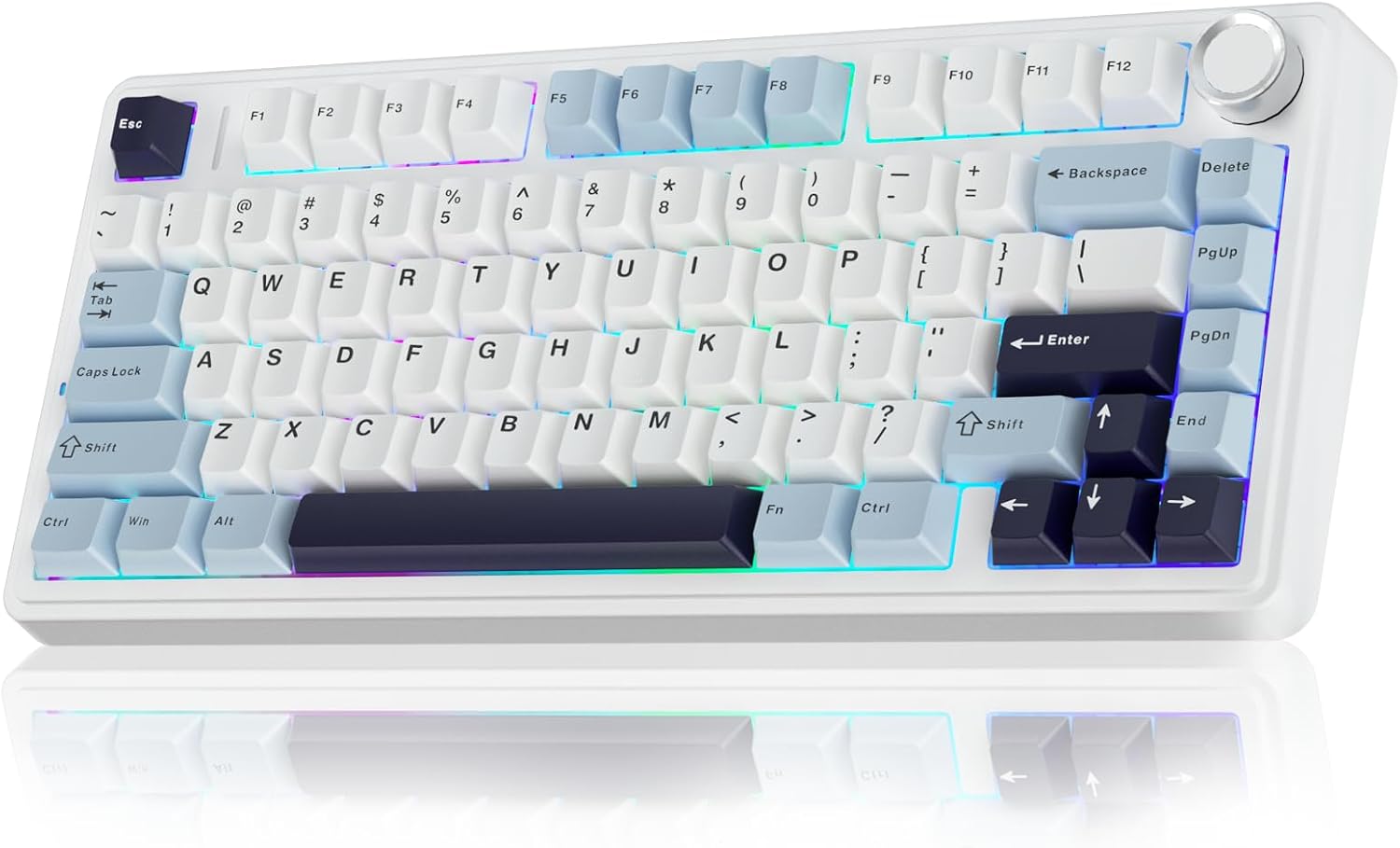
AULA F75
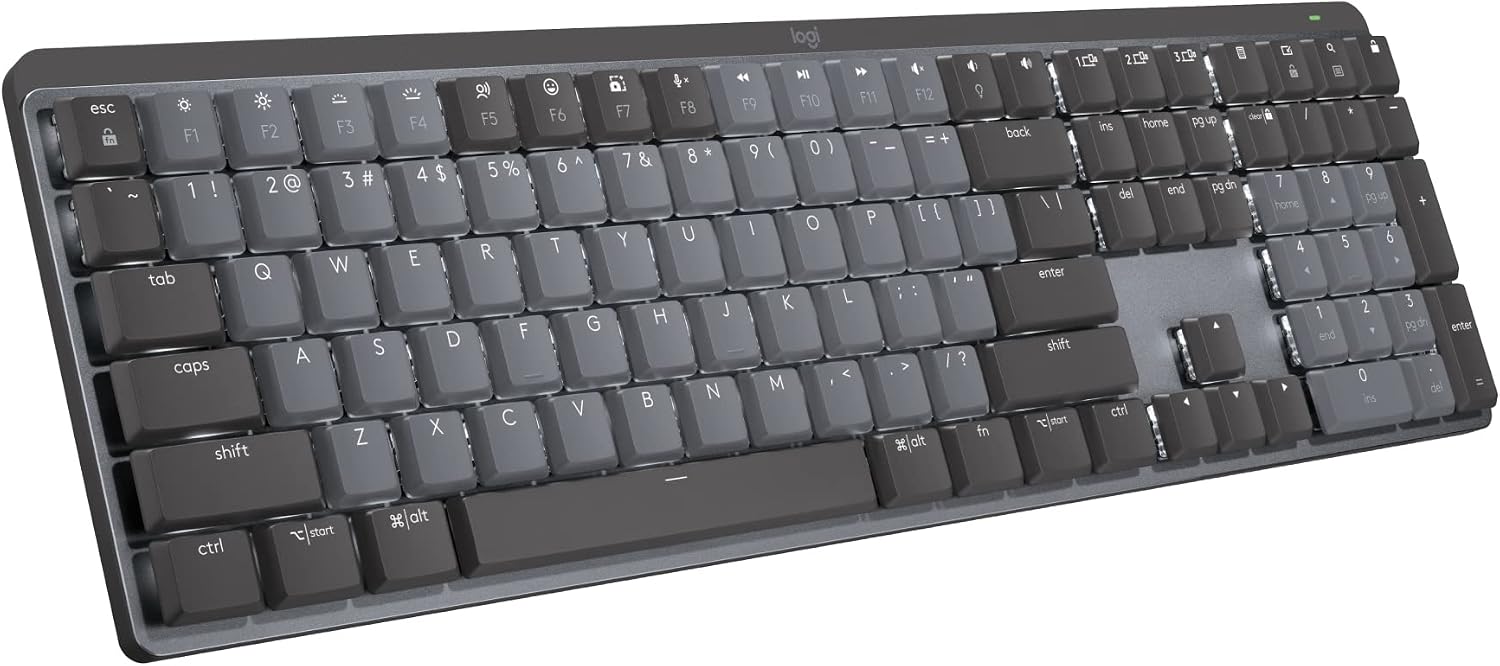
Logitech MX Mechanical
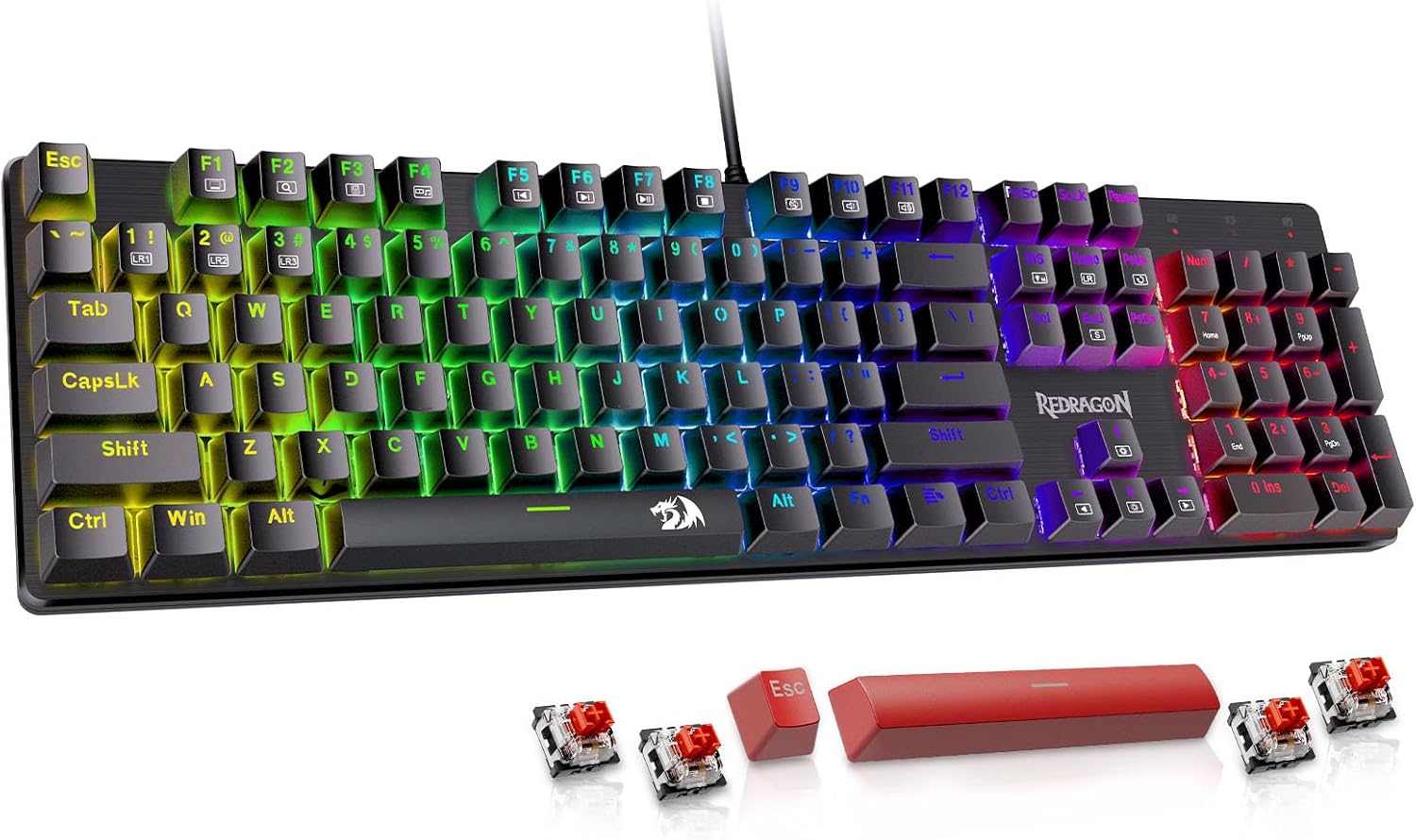
Redragon Wired RGB
Keychron K2 HE
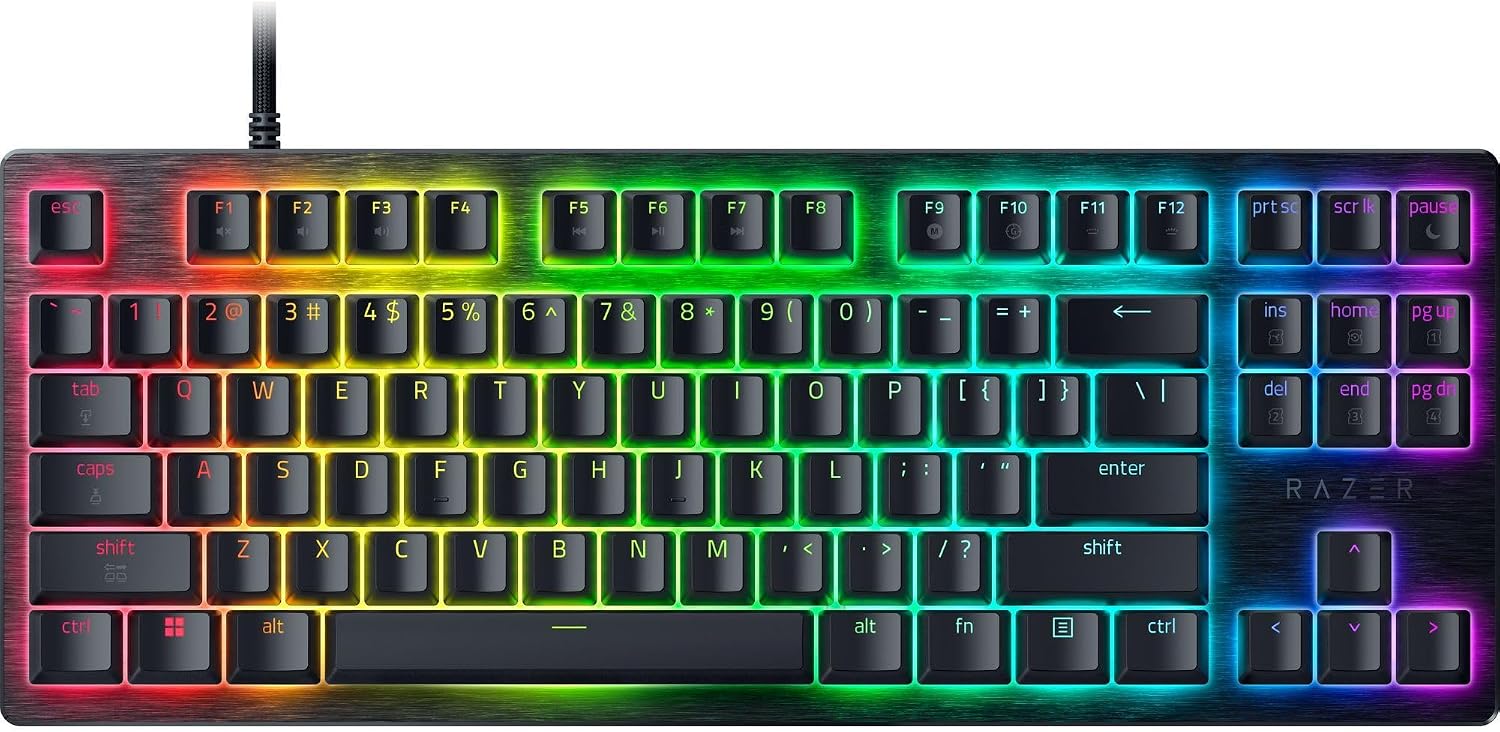
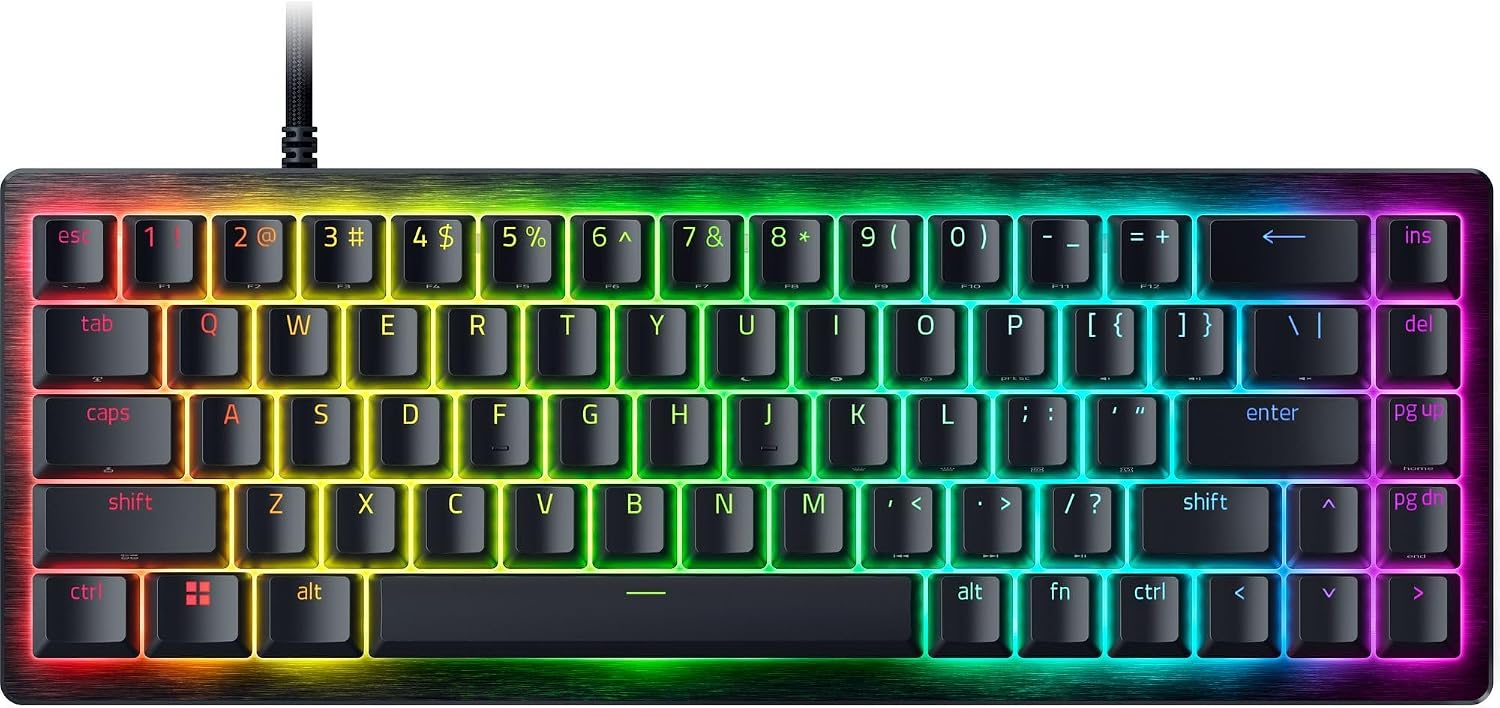
Razer Huntsman V3 HE Magnetic TKL
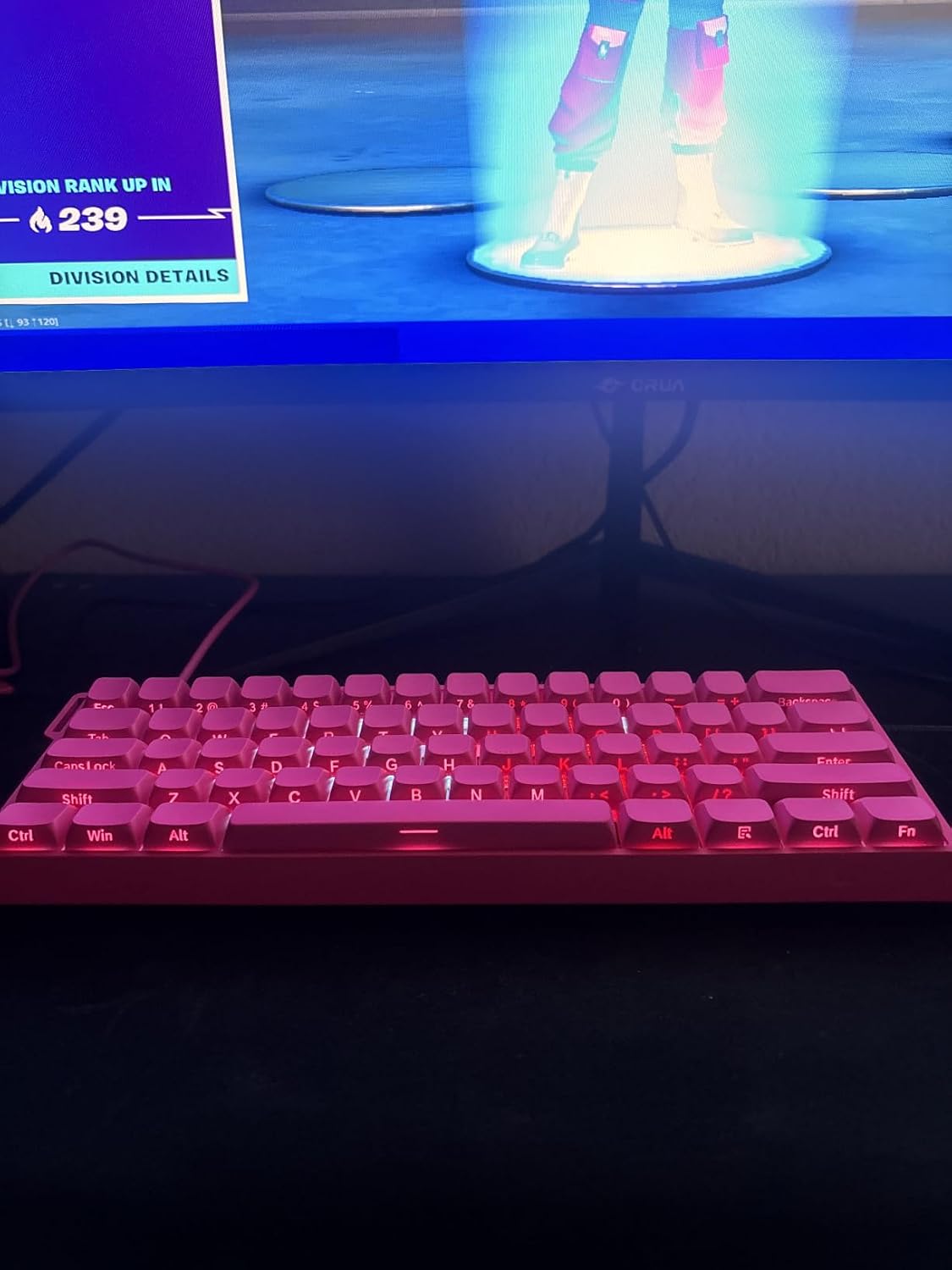
AULA WIN60 HE PRO
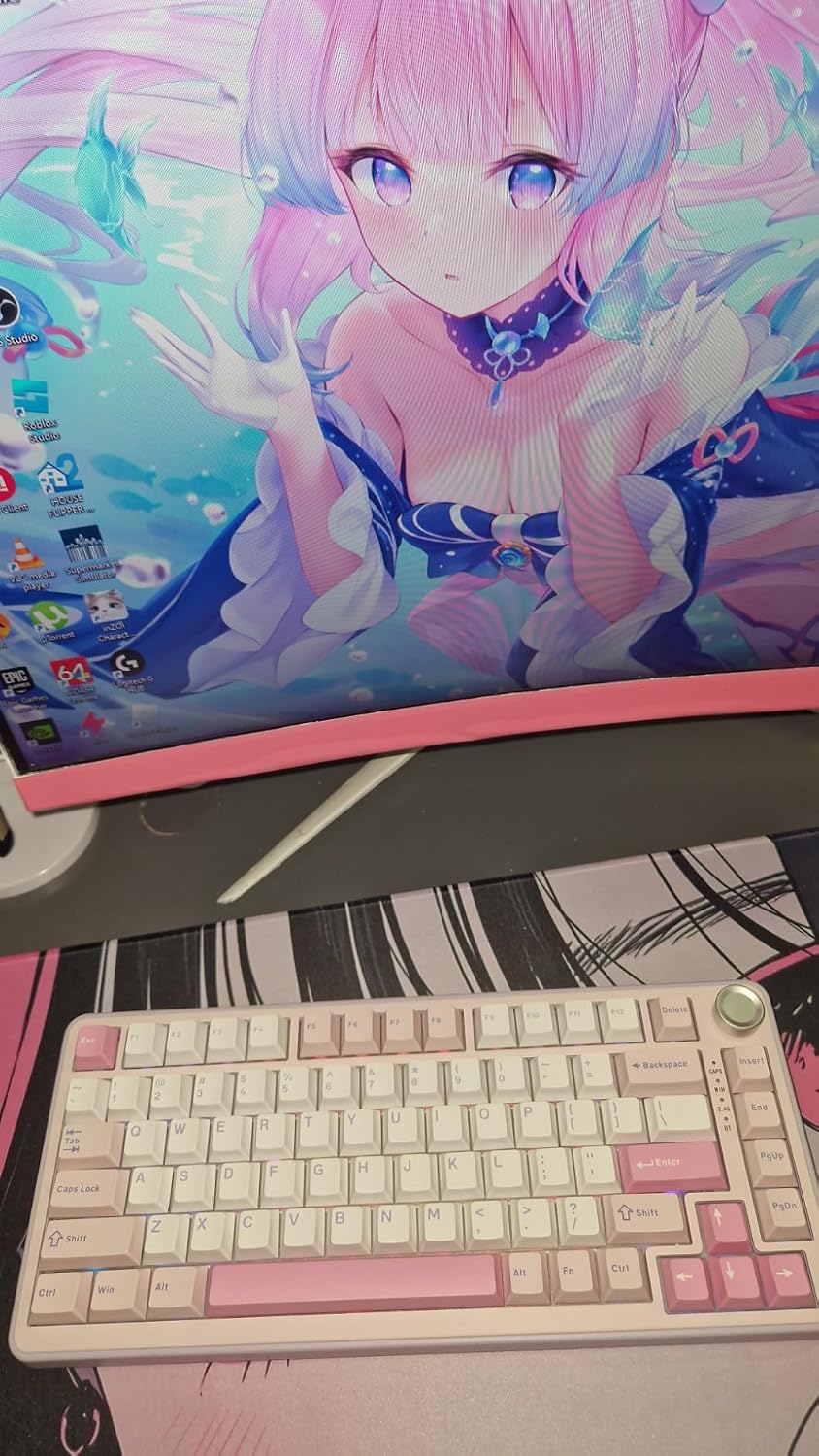
YUNZII B75 PRO
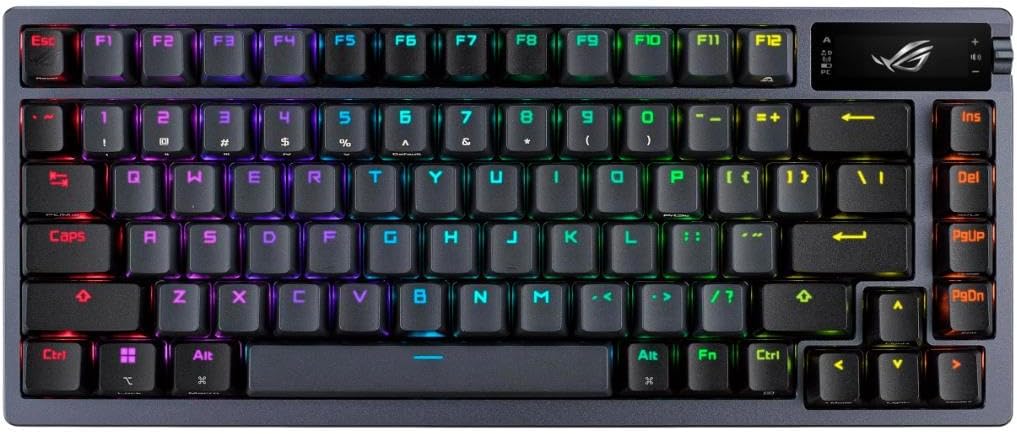
ASUS ROG Azoth
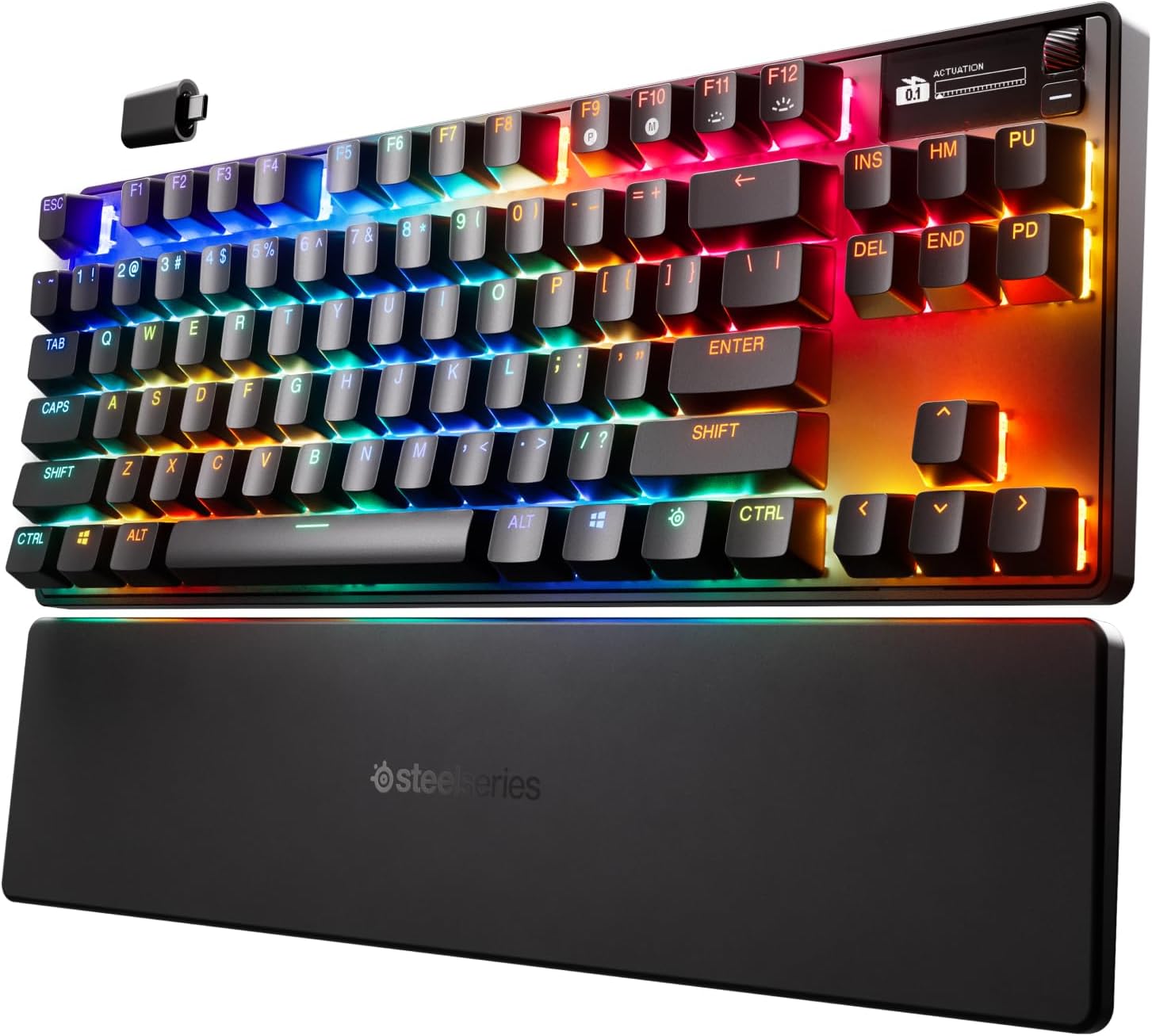
SteelSeries Apex Pro TKL Gen 3
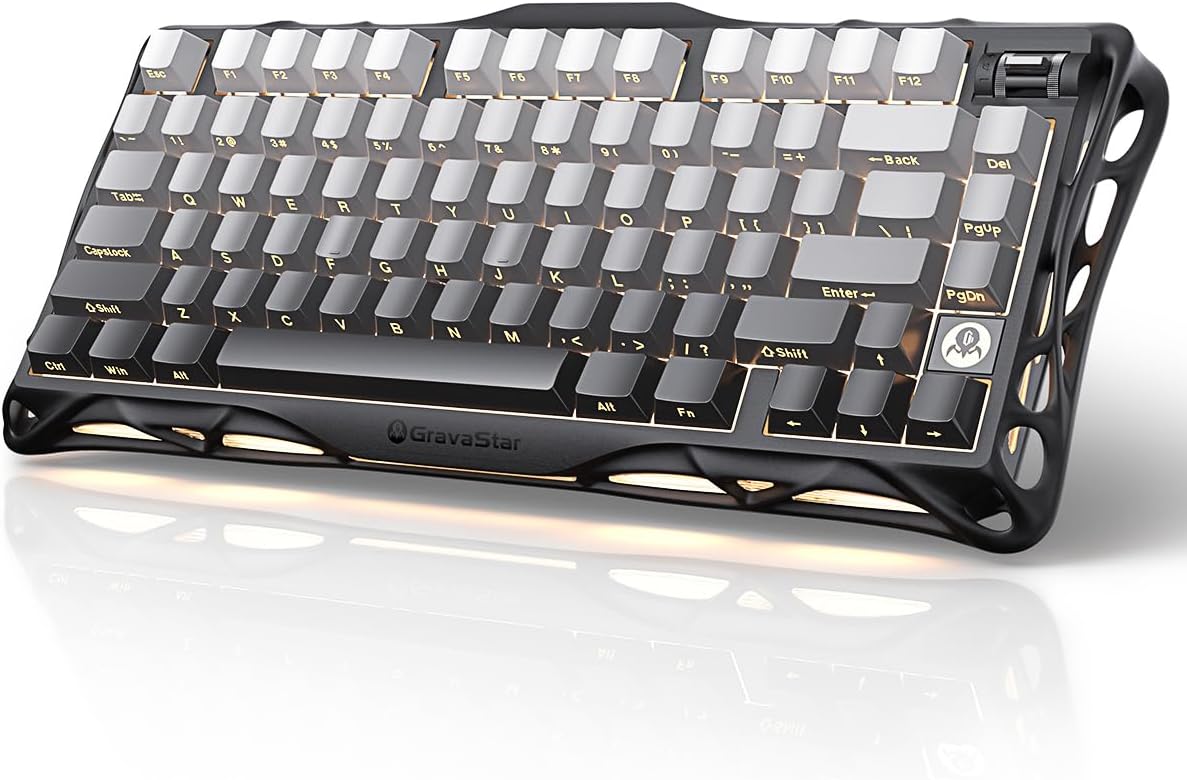
GravaStar Mercury K1
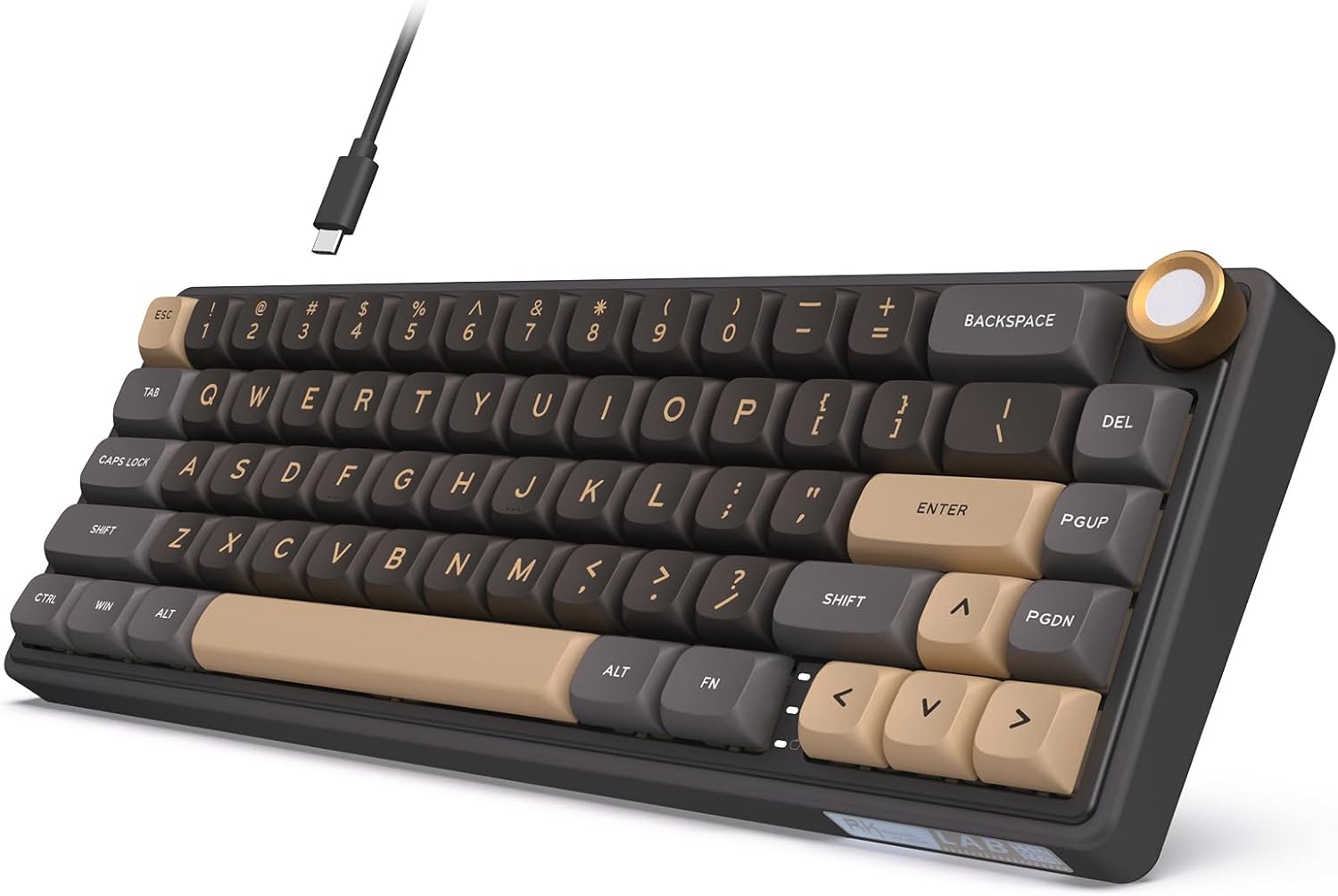
RK Royal Kludge R65
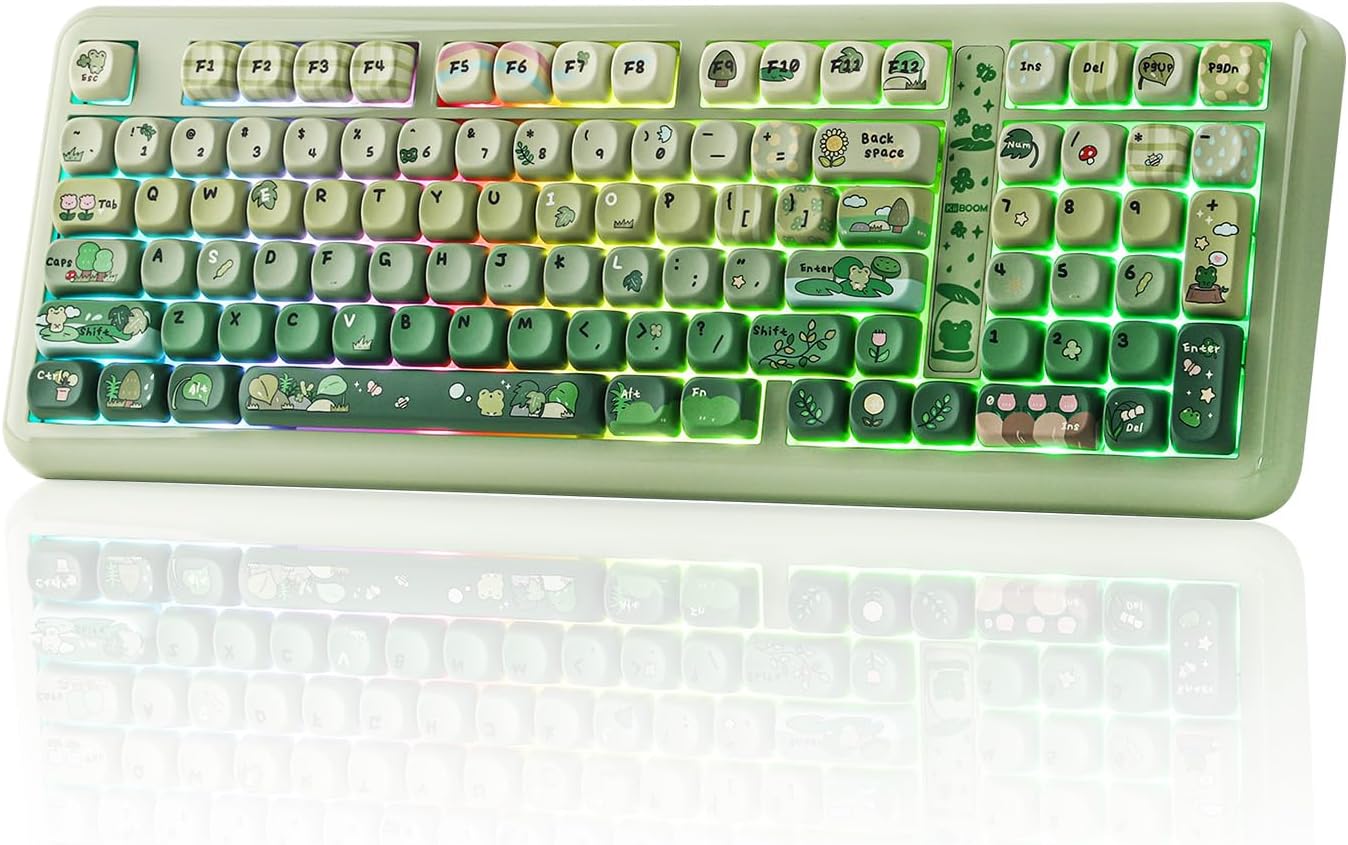
KiiBoom Phantom98 Lite
YUNZII C75
Logitech G515 LIGHTSPEED TKL
Corsair K100 RGB
8Bitdo Retro Mechanical Keyboard
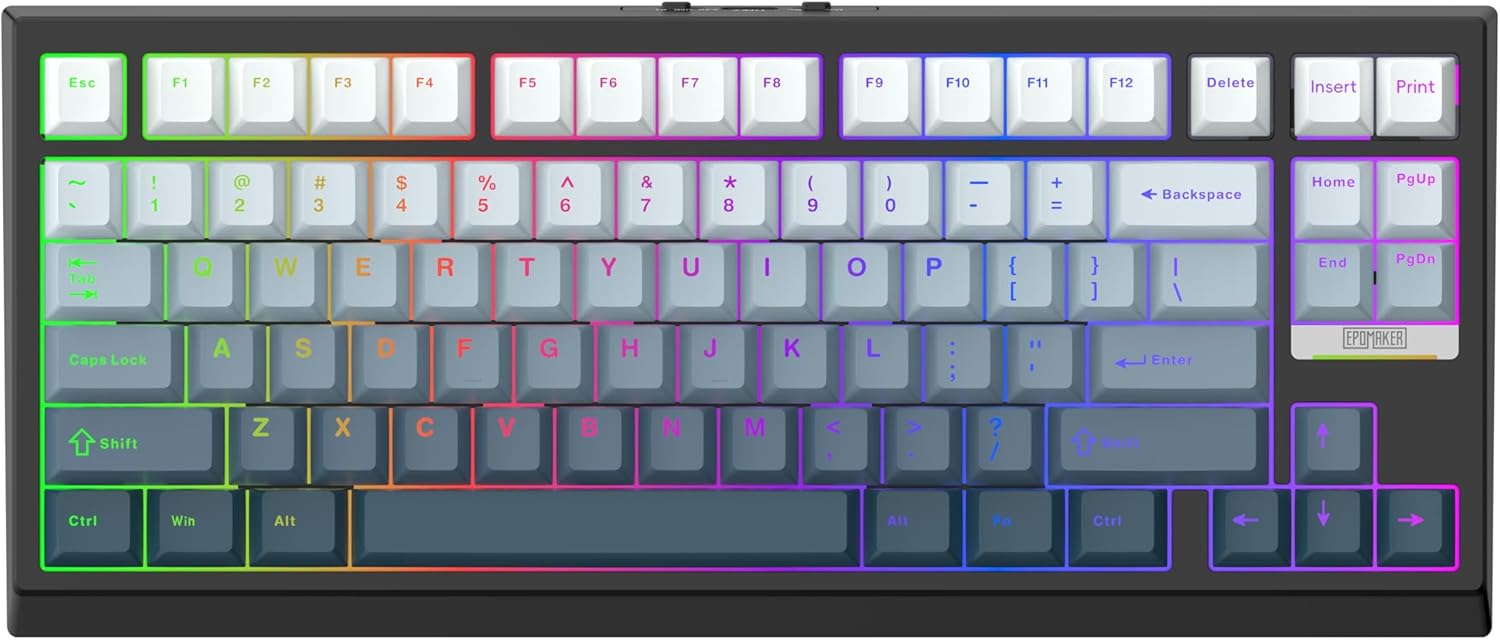
EPOMAKER G84 HE
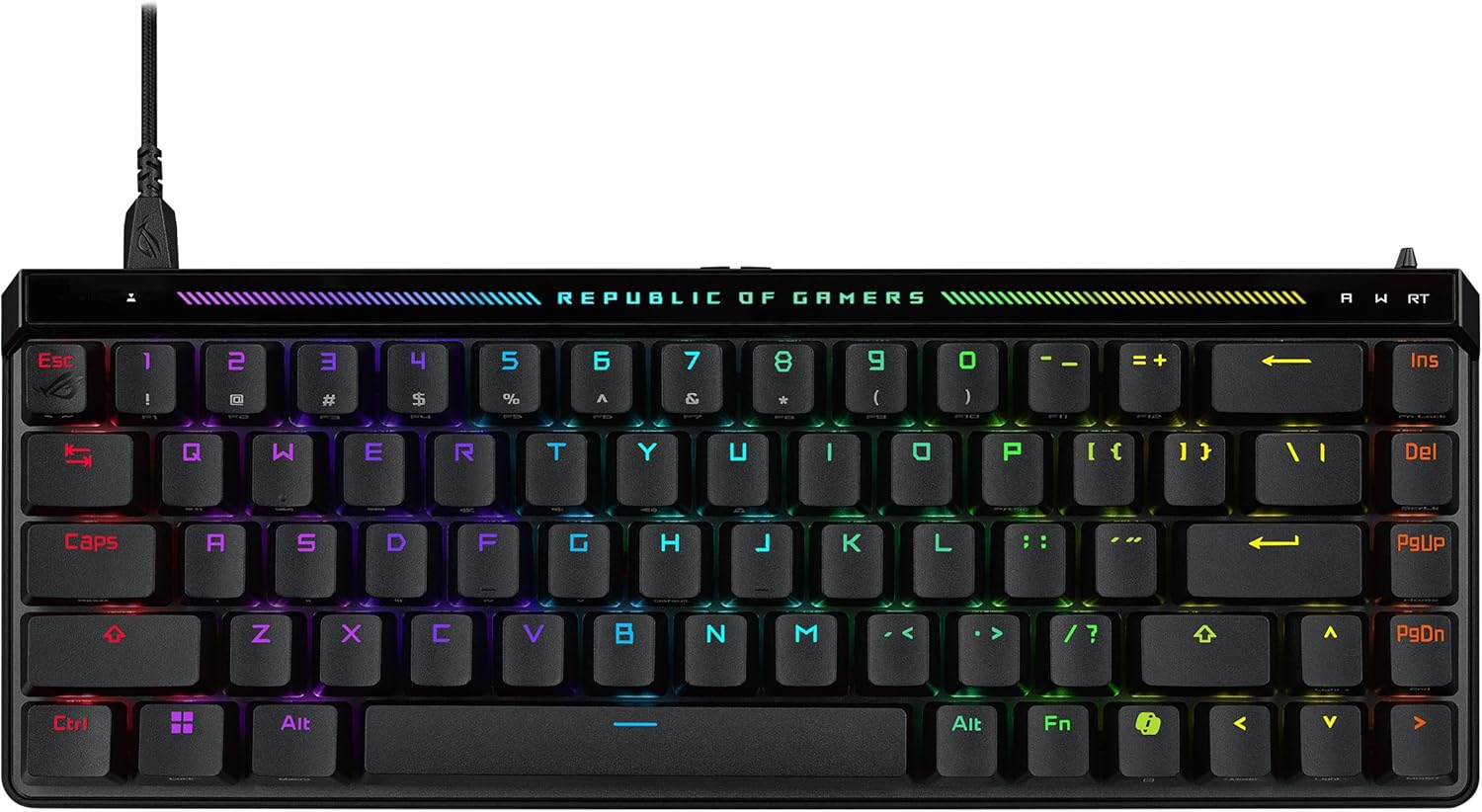
ASUS ROG Falchion Ace HFX
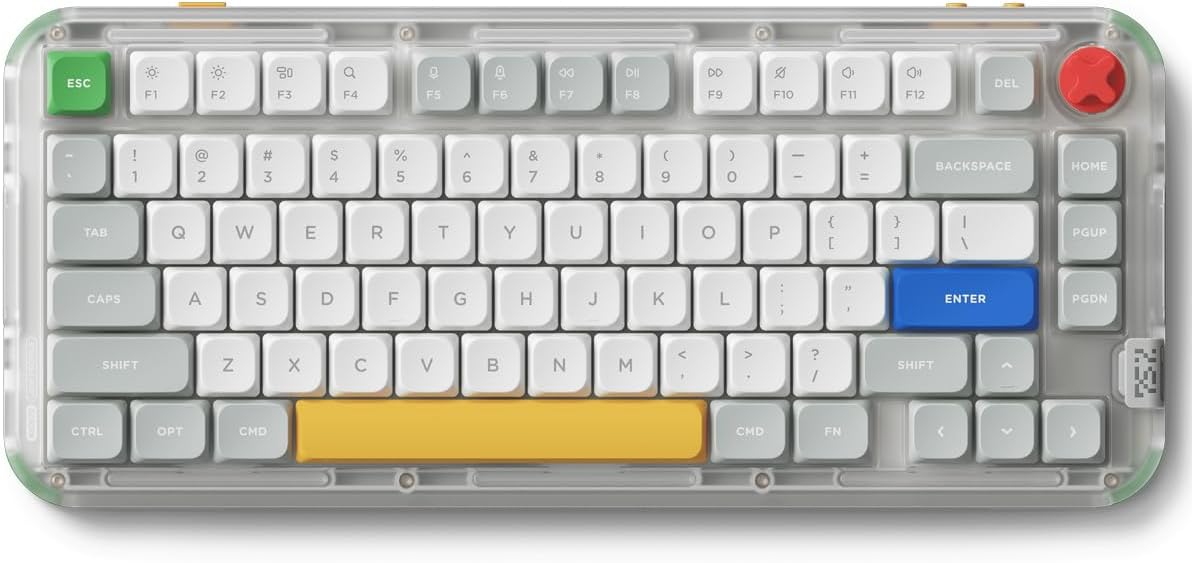
NuPhy Kick75
Quick verdict
The AULA F75 remains the best value keyboard, and the Keychron K2 HE the best Hall Effect board for most people. If you want wireless Hall Effect on a budget, the EPOMAKER G84 HE is the new value pick at around $68, while the ASUS ROG Falchion Ace HFX is the compact 65% choice for wired competitive play. If you want premium, the ASUS ROG Azoth is the enthusiast 75% with an OLED screen and gasket mount, while the SteelSeries Apex Pro TKL Gen 3 is the best wireless Hall Effect board for competitive players. The RK Royal Kludge R65 brings QMK/VIA to under $45, and the GravaStar Mercury K1 is the pick for looks and sound. The Razer Huntsman V3 HE stays the wired competitive choice, the AULA WIN60 HE PRO the budget Rapid Trigger board, the YUNZII B75 PRO the budget 75% with a knob, the Logitech MX Mechanical the office pick, and the Redragon the ultra-budget starter. If you want a numpad without giving up desk space, the KiiBoom Phantom98 Lite is the value pick — it's the cheapest board here with real VIA support — while the Corsair K100 RGB is the full-size flagship with a macro column. For a slim wireless board the Logitech G515 LIGHTSPEED TKL is the one to beat on latency, and the YUNZII C75 is what to buy when the keyboard has to look good too. For pure personality the 8Bitdo Retro Mechanical Keyboard is the most fun board here, and the NuPhy Kick75 is the best low-profile 75% if you can live with its mixed wireless record.
At a glance
| Feature | AULA F75 | Logitech MX Mechanical | Redragon Wired RGB | Keychron K2 HE | Razer Huntsman V3 HE Magnetic TKL | AULA WIN60 HE PRO | YUNZII B75 PRO | ASUS ROG Azoth | SteelSeries Apex Pro TKL Gen 3 | GravaStar Mercury K1 | RK Royal Kludge R65 | KiiBoom Phantom98 Lite | YUNZII C75 | Logitech G515 LIGHTSPEED TKL | Corsair K100 RGB | 8Bitdo Retro Mechanical Keyboard | EPOMAKER G84 HE | ASUS ROG Falchion Ace HFX | NuPhy Kick75 |
|---|---|---|---|---|---|---|---|---|---|---|---|---|---|---|---|---|---|---|---|
| Price (from) | ~$56 | ~$158 | ~$26 | ~$120 | ~$140 | ~$48 | ~$64 | ~$163 | ~$230 | ~$110 | ~$43 | ~$99 | ~$78 | ~$130 | ~$300 | ~$100 | ~$68 | ~$149 | ~$120 |
| Layout | 75% | Full-size | Full-size | 75% | TKL (80%) | 60% | 75% | 75% | TKL (80%) | 75% | 65% | 96% (97 keys) | 75% | TKL (tenkeyless) | Full-size (100%) | 87-key TKL | 75% (84-key) | 65% | 75% (80-key) |
| Connectivity | BT / 2.4GHz / USB-C | BT + Bolt (3 devices) | Wired | BT / 2.4GHz / USB-C | Wired | Wired | BT / 2.4GHz / USB-C | BT / 2.4GHz / USB-C | 2.4GHz / BT / USB-C | BT / 2.4GHz / USB-C | Wired (USB-C) | BT 5.0 / 2.4GHz / USB-C | BT 5.0 / 2.4GHz / USB-C | LIGHTSPEED / BT / USB-C | USB-A (dual cable) | BT / 2.4GHz / USB-C | BT / 2.4GHz / USB-C | Wired (dual USB-C) | BT 5.1 / 2.4GHz / USB-C |
| Switches | Pre-lubed Reaper | Low-profile tactile | Red (linear) | Gateron Double-Rail magnetic | Razer Hall Effect (linear) | Magnetic (Hall Effect) | Pre-lubed Cocoa Cream V2 | ROG NX Snow (linear, pre-lubed) | OmniPoint 3.0 (magnetic) | Hot-swap linear (3/5-pin MX) | Cream (linear, hot-swap) | Pre-lubed linear (Mochi) | Pre-lubed linear (Candy) | GL Brown tactile (low-profile) | Cherry MX Speed Silver | Kailh Box White V2 (clicky) | Magnetic HE (hot-swap) | ROG HFX magnetic | Blush Nano low-profile |
| Hot-swappable | Yes | No | Yes | Yes (magnetic only) | No | Yes (magnetic) | Yes | Yes | No | Yes | Yes | Yes | Yes (3- and 5-pin) | No | No | Yes | Yes | No | Yes |
| Battery | 4000mAh | ~15 days | — | 4000mAh | — | — | 4000mAh | ~2 weeks (RGB on) | ~2 weeks | 4000mAh | — | 8000mAh | 5500mAh | 36h (RGB on) | n/a (wired) | 2000mAh (~200 hrs) | 8000mAh (~2+ weeks) | — | 2500mAh (~60–90 hrs RGB) |
| Best for | Sound & value | Office work | Ultra-budget | Hall Effect all-rounder | Competitive gaming | Budget gaming | Budget typing / value | Premium enthusiast | Competitive gaming (wireless) | Design & sound | Budget QMK/VIA | VIA remapping + numpad | Looks & gifting | Slim wireless gaming | Flagship / macros | Retro charm | Budget wireless HE | Compact HE gaming | Low-profile typing |
Prices are approximate starting prices researched on October 22, 2026, and may change. Always check the current price on Amazon before buying.
AULA F75: best budget wireless
The AULA F75 is the keyboard everyone on Reddit's budget forums keeps recommending, and for good reason: its pre-lubed switches and gasket mount produce a deep, creamy "thock" that usually costs double. Just use it wired or on the 2.4GHz dongle — the Bluetooth is the weak point, with buyers reporting dropped and doubled inputs.
See AULA's official F75 page or the current Amazon price.
For $56 you get a hot-swappable, gasket-mounted, pre-lubed 75% keyboard with creamy thock — that combination simply did not exist under $150 two years ago.
Pros
- Incredible thocky/creamy sound out of the box
- Outstanding value for money (around $56 — less than half the price of a Logitech MX Mechanical)
- Hot-swappable switches (no soldering)
- Tri-mode connectivity
- Comfortable gasket-mount feel
Cons
- Bluetooth is unreliable (lag, key spamming)
- Software is limited — no Mac or VIA support
- Wireless latency for competitive gaming
- 75% layout can feel cramped to some
Logitech MX Mechanical: best for the office
If you type for a living and want a mechanical feel without the clack, the MX Mechanical is the pick. Its low-profile tactile switches stay quiet enough for an open office, and the 3-device switching is genuinely smooth. The trade-offs are real, though: it's expensive, the switches aren't swappable, and the keycaps shine up faster than you'd expect at this price.
Specs on Logitech's MX Mechanical page or the live Amazon listing.
I write for a living and the MX Mechanical is the first keyboard my colleagues haven't complained about. Battery life is around 15 days per charge in real-world use.
Pros
- Quiet, low-profile switches — great for shared spaces
- Solid aluminum build
- Long battery life (up to 15 days on a charge, roughly 3× most wireless boards)
- Smooth 3-device switching
Cons
- Expensive for what you get (~$158, ~3× the F75)
- ABS keycaps get shiny/greasy quickly
- No wired mode at all
- Not hot-swappable; software is clunky
Redragon Wired RGB: ultra-budget
The Redragon is the "first mechanical" answer for people who want to test the water for under $30. You get a genuine mechanical board with hot-swap and double-shot PBT keycaps — both rare at this price. The catch is the usual budget one: the hot-swap socket only takes certain switches, the software is old, and durability is hit-or-miss.
Specs on Redragon's site or the live Amazon price.
If you have never owned a mechanical keyboard and just want to try it for under $30, the Redragon is the obvious starter. Treat it as disposable and you will not be disappointed.
Pros
- Cheapest mechanical keyboard around (~$26 — about 53% less than the F75)
- Hot-swappable switches
- Double-shot PBT keycaps (durable)
- Anti-ghosting for gaming
Cons
- Hot-swap socket only fits Outemu-style switches
- Software is dated
- Build quality and durability can be inconsistent
- Stabilizer/typing noise out of the box
Keychron K2 HE: best Hall Effect overall
The Keychron K2 HE is the keyboard that made Hall Effect switches approachable. It takes Keychron's best-selling 75% layout and swaps in Gateron Double-Rail magnetic switches, so you get adjustable actuation and Rapid Trigger for gaming — plus the wireless flexibility and build quality Keychron is known for. The price swings between roughly $95 and $140 depending on sales and switch choice.
See the live Amazon price.
Keychron's K2 HE brings Hall Effect switches and Rapid Trigger to its best-selling form factor. It isn't cheap and the tall case needs a wrist rest, but for wireless Hall Effect it is the default pick.
Pros
- Genuinely fast for gaming — adjustable actuation plus Rapid Trigger on magnetic switches
- Excellent build quality and a stable, substantial feel (~965g)
- Quiet, pleasant typing with double-shot PBT keycaps
- Three ways to connect: Bluetooth (3 devices), 2.4GHz, or USB-C
- Browser-based software for switch tuning and onboard profiles
Cons
- Pricey next to budget Hall Effect boards (~$120 vs ~$48)
- Hot-swap only accepts Gateron Double-Rail magnetic switches — not ordinary mechanical ones
- Tall case can be uncomfortable for long sessions without a wrist rest
- Heavy for a compact board; some report switch wobble and no dedicated media keys
Razer Huntsman V3 HE Magnetic TKL: best for competitive gaming
The Razer Huntsman V3 HE Magnetic TKL is the competitive-gaming pick: 8,000Hz polling, per-key actuation from 0.1–4.0mm, Rapid Trigger, and Snap Tap make it one of the fastest-feeling boards you can buy. The trade-off is that it's wired-only and built for gaming, so typing all day on it is less comfortable than on the Keychron K2 HE or MX Mechanical.
See the live Amazon price.
For competitive players chasing the lowest latency, the 8,000Hz polling and per-key actuation are excellent — but it is wired-only and the typing feel is not for everyone.
Pros
- Per-key actuation from 0.1–4.0mm plus Rapid Trigger — excellent for fast-paced games
- 8,000Hz polling for very low input latency
- Solid build with bright backlighting and textured doubleshot PBT keycaps
- Deep customization in Synapse, plus a browser-based Synapse Web option
Cons
- Wired only — no wireless at this price
- Tall keycaps and no included wrist rest make long typing sessions tiring
- Analog linear switches prioritize gaming over everyday typing feel (some report over-lubed, sticky switches)
- Full customization still leans on Razer Synapse
AULA WIN60 HE PRO: best budget Hall Effect
The AULA WIN60 HE PRO is the cheapest real Hall Effect keyboard worth buying — about $48 gets you 8,000Hz polling, adjustable actuation, and Rapid Trigger, features that cost 2–3× more from Razer or Wooting. The caveats are the usual budget trade-offs: Rapid Trigger can be inconsistent, and it's a wired 60% board with no arrow keys.
See the live Amazon price.
For the price, the responsiveness is impressive — but I ended up turning Rapid Trigger off because my movement keys kept dropping inputs.
Pros
- Hall Effect with 8,000Hz polling and adjustable actuation at a budget price (~$48)
- Responsive and fast — genuine Rapid Trigger performance for the money
- Small 60% footprint frees up desk space
- Wired, so no battery or pairing to manage
Cons
- Rapid Trigger can behave inconsistently (some owners report keys intermittently stopping registering)
- 60% layout has no dedicated arrow or navigation keys
- Wired only — no Bluetooth or 2.4GHz
- Less long-term reliability evidence than established brands
YUNZII B75 PRO: best budget 75% with a knob
The YUNZII B75 PRO is the pick if you want the AULA F75's recipe — gasket mount, pre-lubed switches, a volume knob — but from a different brand and with a softer, more muted sound. It's an honest budget 75% that types well above its ~$64 price, just don't expect precise battery readouts from the app.
See the live Amazon price.
The gasket mount and pre-lubed Cocoa Cream V2 switches make typing feel noticeably more premium than the price would suggest.
Pros
- Comfortable, muted typing from the gasket mount and pre-lubed switches
- Full feature set for the price: wireless, knob, RGB, and hot-swap
- Compact 75% keeps the arrow and navigation keys
- Feels better built than expected at ~$64; 4,000mAh battery
Cons
- Battery life swings a lot with RGB (about 30 hours on, up to a week off)
- The companion app doesn't clearly show battery percentage
- ~900g isn't especially light if you travel with it
ASUS ROG Azoth: best premium 75%
The ASUS ROG Azoth is the premium pick for people who want a keyboard that feels like a custom build straight out of the box. Its gasket mount, internal dampening, and pre-lubed ROG NX switches produce a cushioned, quieter typing feel than a typical gaming board, and the programmable OLED display adds system status and on-board controls. The catch is ASUS software: Armoury Crate is heavy, and some owners report key chatter over time — so check the warranty before you buy.
See the live Amazon price.
The ROG Azoth is a premium, substantial wireless keyboard with a strong out-of-box feel and useful battery life — but the price, bulk, and reliance on ASUS software for some features are real trade-offs.
Pros
- Excellent build quality — a solid, substantial case with PBT keycaps
- Gasket mount plus internal dampening gives a cushioned, quieter typing feel
- Tri-mode connectivity with strong battery life (owners report ~2 weeks up to 65 days)
- Programmable OLED display for system status and settings
- Hot-swappable switches for easy customization
Cons
- Expensive — typically $160–250 depending on configuration
- Armoury Crate software is heavy and intrusive (some features need it)
- Some owners report key chatter / double-presses over time
- Heavy and tall — not ideal for travel; a wrist rest helps for long sessions
- The OLED is more novelty than everyday utility for many buyers
SteelSeries Apex Pro TKL Gen 3: best wireless Hall Effect
The SteelSeries Apex Pro TKL Gen 3 is the most feature-packed Hall Effect board for competitive players who want to drop the cable. Its OmniPoint 3.0 magnetic switches let you set actuation per key from 0.1–4.0mm, and Rapid Trigger plus Rapid Tap (SOCD) make fast direction changes and re-inputs feel instant. The trade-offs are real: it's expensive, not hot-swappable, and full customization lives inside SteelSeries GG.
See the live Amazon price.
Per-key adjustable actuation, Rapid Trigger, and Rapid Tap make the Apex Pro Gen 3 one of the fastest-feeling keyboards you can buy — but the premium price and GG dependency are hard to overlook if you just want a simple board.
Pros
- OmniPoint 3.0 magnetic switches with per-key actuation from 0.1–4.0mm
- Rapid Trigger plus Rapid Tap (SOCD) for fast direction changes and re-inputs
- Wireless (2.4GHz + Bluetooth) with roughly two weeks of battery life
- OLED display adjusts actuation and Rapid Tap/Trigger without opening software
- Well built, with PBT keycaps and improved stabilizer tuning
Cons
- Expensive — ~$230 for the wireless model (wired TKL is ~$190)
- Full customization (per-key actuation, profiles) requires SteelSeries GG
- Some owners report ghost keypresses at very low actuation settings
- Not hot-swappable — locked to OmniPoint magnetic switches
- Wireless latency less consistent than wired for serious competitive play
GravaStar Mercury K1: best-looking premium
The GravaStar Mercury K1 is the keyboard to buy if looks matter as much as typing feel. Its sculpted aluminum sci-fi case and gradient finishes are genuinely distinctive, and the gasket mount produces a deep, muted "thock". It's a real premium board at a mid-range price — just don't expect polished software: the companion app is Windows-only and rough, and Bluetooth pairing can be finicky.
See the live Amazon price.
The sculpted aluminum case and deep, muted typing sound make the Mercury K1 stand out — though the software is less polished than major-brand alternatives and the spacebar can sound hollow.
Pros
- Distinctive sculpted aluminum sci-fi case and gradient finishes
- Gasket mount gives a deep, muted 'thocky' typing sound
- Hot-swap accepts standard 3- and 5-pin MX-style switches
- Tri-mode connectivity (USB-C, 2.4GHz, Bluetooth multi-device)
- Solid, premium-feeling construction
Cons
- Companion software is rough and Windows-only
- Bluetooth pairing can be unreliable with some devices
- Wireless latency is less consistent than wired (not ideal for competitive play)
- Spacebar can sound hollow; typing sound may be too loud for shared spaces
- Battery specs vary across listings (4000mAh vs 8000mAh reported)
RK Royal Kludge R65: best budget QMK/VIA
The RK Royal Kludge R65 is the best budget QMK/VIA keyboard — around $43 gets you a gasket-mounted 65% with hot-swap switches, a metal knob, and full QMK/VIA remapping, which is usually a premium-builder feature. The trade-offs are the usual budget ones: stabilizer tuning is inconsistent, VIA setup can be fiddly, and this variant is wired only.
See the live Amazon price.
For around $43 you get gasket mount, hot-swap, a metal knob, and QMK/VIA — that is exceptional value for an entry-level customizable board.
Pros
- Full QMK/VIA programmability at a budget price (~$43)
- Gasket mount with a pleasing 'poppy' thocky sound
- Hot-swappable switches and a metal volume knob
- Compact 65% layout with PBT keycaps (MDA profile)
- Exceptional value — owners call it a top entry-level customizable board
Cons
- VIA setup can be fiddly — some units need a JSON file to configure
- Stabilizer tuning is inconsistent (backspace/enter can rattle)
- Wired only — no Bluetooth or 2.4GHz on this variant
- Some unit-to-unit variance in build and sound
KiiBoom Phantom98 Lite: best 96% wireless
The Phantom98 Lite earns its place by fixing two of the standing annoyances of budget boards at once. It's a 96% layout, so you keep the numpad and arrow cluster without the dead space of a full-size board — and it has genuine VIA support, which means remapping every key and building macros instead of fighting a half-finished companion app. Add a five-layer gasket mount, an 8,000mAh battery (the largest here) and tri-mode wireless and the value case is strong. Be honest about the trade-offs, though: the shell is plastic rather than aluminium, VIA needs the board's JSON definition loaded before it will recognise the keyboard, and the gasket flex is subtle rather than springy.
See KiiBoom's official Phantom98 Lite page or the live Amazon price.
Typing feels soft and smooth, the pre-lubed linear switches do a solid job, and the sound is pleasantly deep and dampened – great for long work or gaming sessions.
Pros
- Genuine VIA support — remap every key, build macros and adjust the RGB without proprietary software
- The 96% layout keeps the numpad and arrow cluster while cutting the dead space of a full-size board
- 8,000mAh battery is the largest in this roundup; reviewers report roughly a week of typical use
- Five layers of damping (latex foam, IXPE switch pad, PET film, base foam and silicone) give a deep, quiet sound out of the box
- Tri-mode wireless, with switching between up to five paired devices
Cons
- The case is plastic, not aluminium — reviewers rate the build as acceptable for the price rather than premium
- VIA is not plug-and-play: you have to load the board's JSON definition into VIA before it will be detected
- Opaque keycaps mute the south-facing RGB, and there's no dedicated volume dial
- The gasket flex is restrained — one reviewer called it barely perceptible while typing
- Only around 99 Amazon ratings so far, so there is far less long-term reliability data than for the mainstream brands
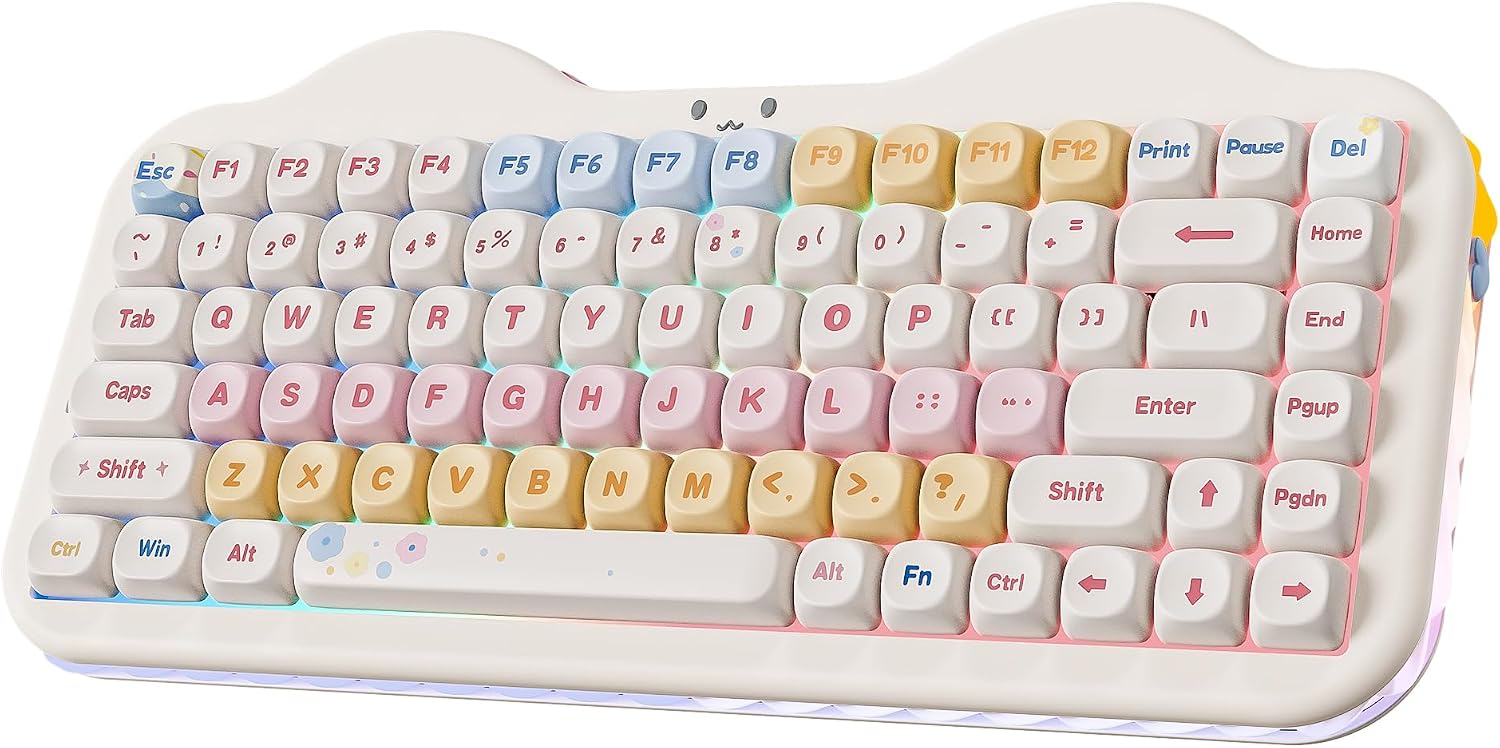
YUNZII C75: best budget looks
Most keyboards under $80 make you choose between looking good and typing well. The YUNZII C75 doesn't: the pastel "cake" case and cat-face emblem are the reason people buy it, but underneath is a properly gasket-mounted 75% with multi-layer dampening, pre-lubed switches and double-shot PBT MOA keycaps — hardware that punches well above the price. Two caveats are worth knowing before you order. The stock Candy switches are loud, so this is not a shared-office board, and MOA is an unusual keycap profile that takes genuine adjustment if you're used to Cherry or OEM caps. There's no VIA either, so remapping means living with YUNZII's own software.
See YUNZII's official C75 page or the live Amazon price.
The usb c slot on my Yunzii C75 now wont connect and i have a piece of ewaste... the durability is terrible.
Pros
- Distinctive pastel 'cake' styling with a cat-face emblem and 3-zone RGB — nothing else at this price looks like it
- Gasket mount, multi-layer dampening and pre-lubed switches deliver a solid, creamy sound
- Double-shot PBT MOA keycaps are a real step up from the ABS caps most sub-$80 boards ship with
- 5,500mAh battery plus tri-mode wireless, with switching across up to five devices
- Hot-swap sockets take both 3-pin and 5-pin switches, so you can re-tune the sound later
Cons
- Stock Candy switches are loud — reviewers describe the profile as clattery and lively rather than quiet
- MOA keycaps use a non-standard profile that takes real adjustment if you're used to Cherry or OEM caps
- One r/MechanicalKeyboards owner reported the USB-C port stopped connecting after about two months
- No VIA or QMK support — remapping means using YUNZII's own software
- The styling is polarising, and the plastic case is not built for office life
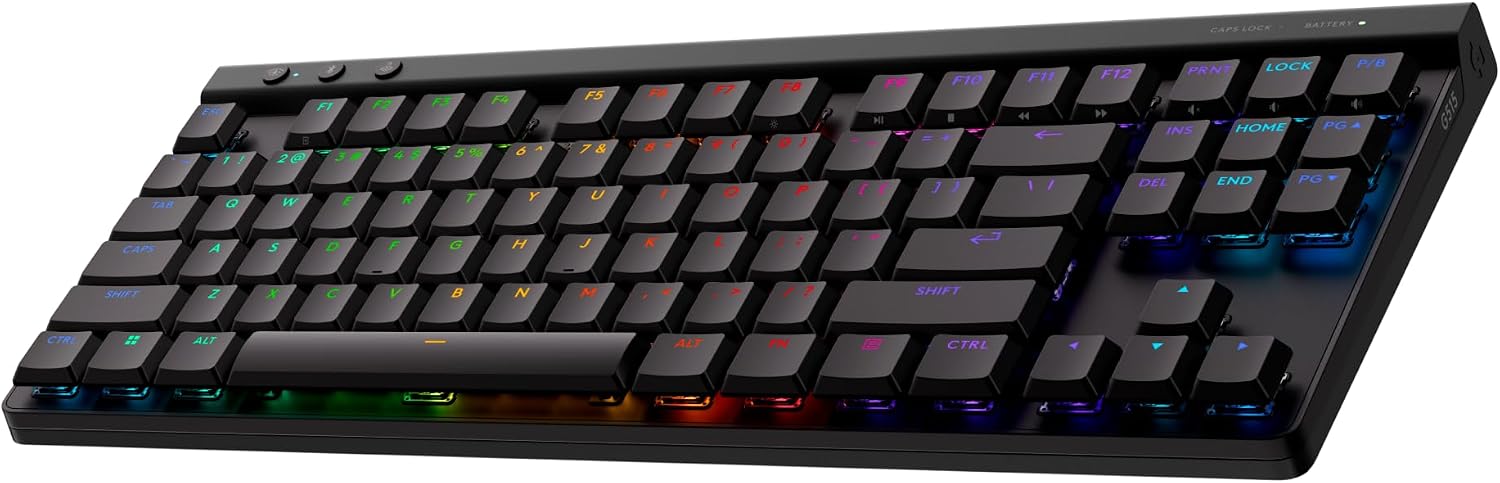
Logitech G515 LIGHTSPEED TKL: best low-profile wireless
The G515 LIGHTSPEED TKL is the pick if you want a slim board and genuinely low-latency wireless. RTINGS measured no noticeable lag and a true 1,000Hz polling rate over the dongle — performance that matches wired — and the low-profile GL Brown tactile switches actuate at 1.3mm, which feels quick and means you can type without a wrist rest. Double-shot PBT keycaps with shine-through legends round out a board built to survive a few years of use. The catches are the ones Logitech always brings: the switches are soldered, not hot-swappable, and customisation runs through G HUB, which owners have repeatedly reported hanging on "loading resources" — with no on-board way to change lighting effects at all.
See Logitech G's official G515 page or the live Amazon price.
I love almost everything about it on the hardware side, but all the software related is trash right now because G HUB is pure garbage.
Pros
- LIGHTSPEED wireless is the real thing: RTINGS measured no noticeable lag and a true 1,000Hz polling rate, matching a wired connection
- Low-profile GL switches actuate at 1.3mm, keeping the board slim enough to type on without a wrist rest
- Double-shot PBT keycaps with shine-through legends — no ABS shine after a few months
- Tri-mode: LIGHTSPEED dongle, Bluetooth or wired, with dedicated hotkeys to switch between them
- KEYCONTROL lets you stack up to 15 functions onto a single key
Cons
- The switches are soldered, not hot-swappable — you're locked into GL Brown or GL Red from day one
- G HUB is required for remapping and RGB, and owners have repeatedly reported it hanging on 'loading resources'; there's no on-board way to change lighting effects
- Some reviewers found noticeable side-to-side play in the keycaps and called the finish less premium than the price suggests
- Battery life is quoted at 36 hours with RGB on — the 600-hour figure only applies with lighting off
- Bluetooth is fine for typing, but treat the dongle as the gaming connection
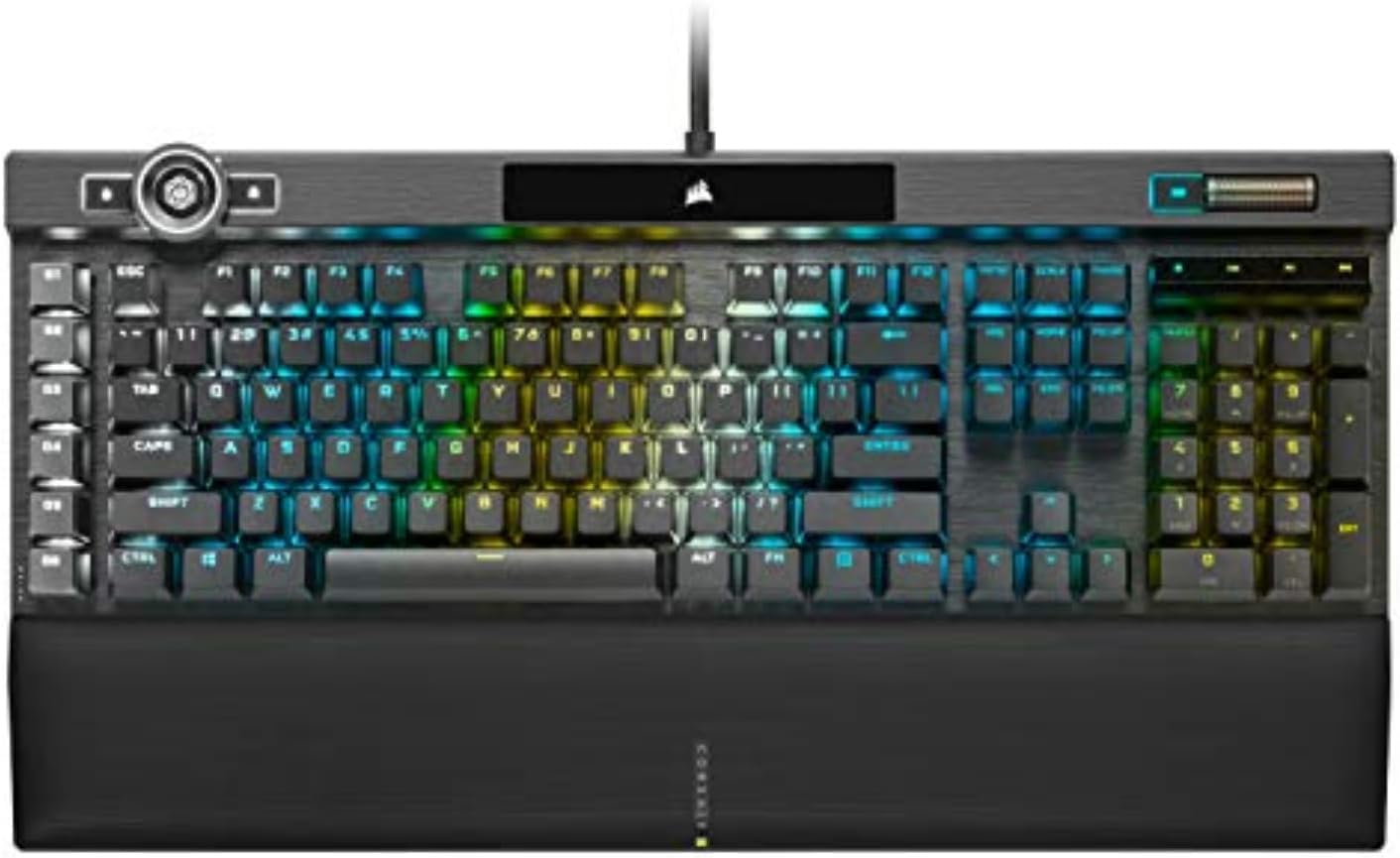
Corsair K100 RGB: best full-size flagship
The K100 RGB is Corsair's flagship, and it shows in the parts that matter: a rigid aluminium top plate with no flex, double-shot PBT caps, a magnetic wrist rest owners actually use, and a 44-zone LightEdge. It's also the only board in this roundup with both a numpad and a dedicated macro column, which is why it stays the default recommendation for people who want one keyboard for work and play. Two things to weigh first. Cherry MX Speed Silver actuates at just 1.2mm, and owners consistently report accidental presses while typing — try it in a store if you can. And iCUE is the usual Corsair tax: glitches, lost G-key control in other apps, and a control wheel that reviewers found awkwardly placed.
See Corsair's official K100 RGB page or the live Amazon price.
If it's wasn't for icue crapping itself I'd say the k100 is the best (loose control of the gkeys in the stream deck app).
Pros
- Rigid aluminium-top chassis with no flex, plus a magnetic wrist rest owners actually leave on
- Cherry MX Speed Silver switches actuate at 1.2mm and are rated for 100 million keystrokes
- The iCUE control wheel is genuinely useful for brightness, media and scrolling once you assign it
- Double-shot PBT keycaps and a 44-zone LightEdge make it one of the better-looking full-size boards
- The only board in this roundup with both a numpad and a dedicated macro column
Cons
- At around $300 it costs more than most people should spend on a keyboard — and it's a wired design from 2020
- Cherry MX Speed Silver's short actuation causes accidental presses; owners consistently report mis-hits while typing
- iCUE is the usual frustration: owners report glitches, losing G-key control in other apps, and failed macro recording
- The wheel sits low and close to Esc/F1, which reviewers found awkward to grip; one long-term owner reported the volume control going erratic
- Dust-prone raised keys, and a split dual-USB-A cable that needs two free ports
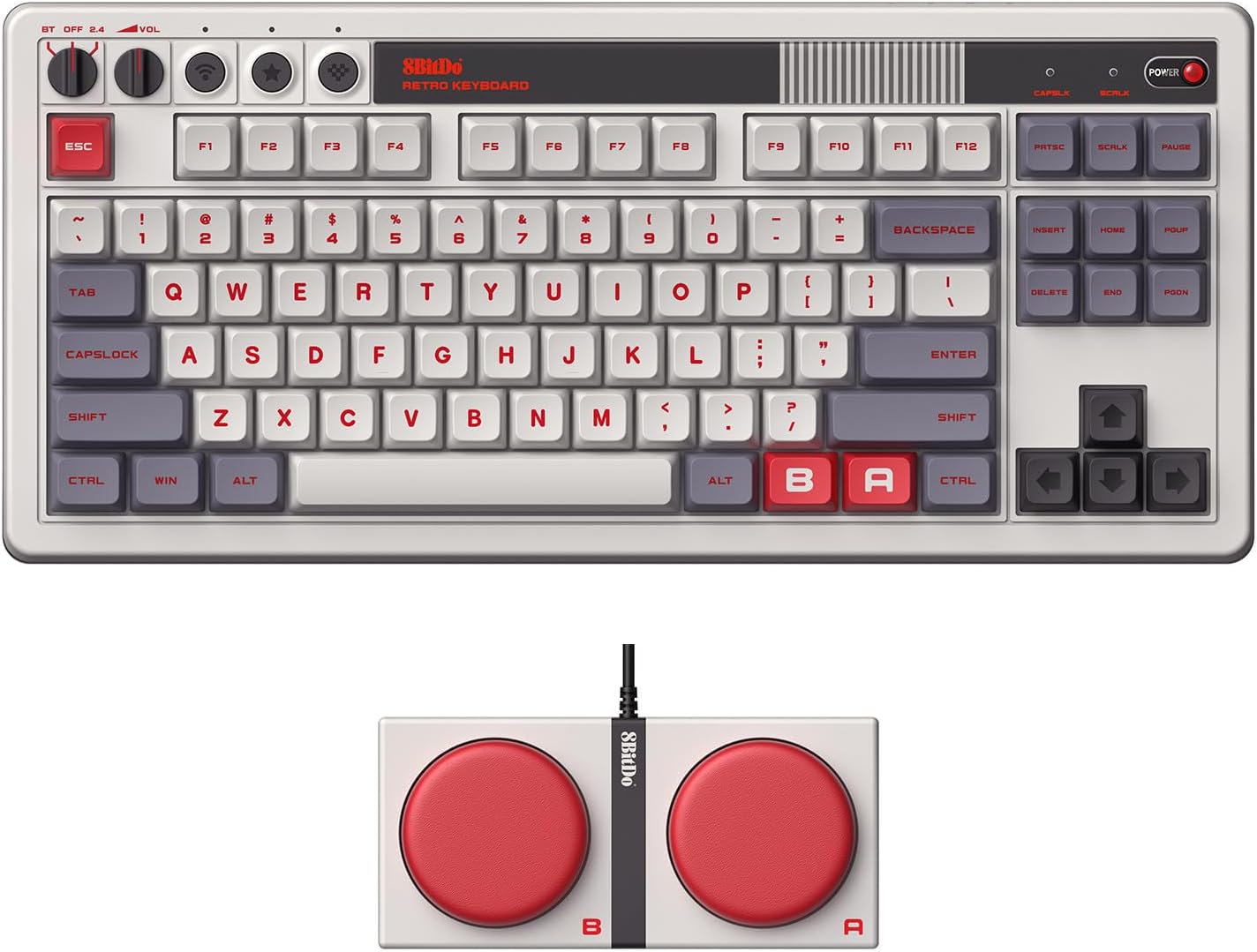
8Bitdo Retro Mechanical Keyboard: most characterful design
The 8Bitdo Retro Mechanical Keyboard is the rare novelty board that is also a genuinely good keyboard. Its Kailh Box White V2 clicky switches and dye-sub PBT keycaps feel crisp out of the box, and the two oversized Super Buttons can be mapped to almost anything without opening software. RTINGS measured impressively low wireless latency over 2.4GHz, though Bluetooth is the weaker link.
The catch is noise. Box White is a loud, high-pitched clicky, so this is a poor desk-mate in an open office or a shared room. There is also no backlight, no multi-device pairing, and at 1,050g it stays on the desk. Buy it for the look and the retro-gaming feel, not as a quiet productivity board.
Specs on 8Bitdo's official product page or the live Amazon listing.
RTINGS rates the build quality highly and measured low 2.4GHz latency, but warns that the high-pitched Kailh Box White clicks can disturb anyone nearby.
Pros
- Standout NES-inspired design with two giant, easy-to-map Super Buttons
- Excellent build quality for the price (RTINGS rates it highly)
- Hot-swappable Kailh Box White V2 switches and dye-sub PBT keycaps
- Impressively low 2.4GHz latency and roughly 200 hours per charge
- On-board remapping works without installing any software
Cons
- Kailh Box White is a loud, high-pitched clicky switch — bad for shared offices
- No backlighting, so the legends are hard to read in a dark room
- No multi-device pairing despite having Bluetooth
- Bulky and heavy at 1,050g — not a portable board
- Enthusiasts find the stock sound plasticky and echoey
EPOMAKER G84 HE: best budget wireless Hall Effect
The G84 HE is the value story of 2026: wireless Hall Effect for around $68. You get 8,000Hz polling over 2.4GHz, adjustable actuation from 0.1mm to 3.3mm, SOCD and DKS, hot-swap magnetic switches, and an 8,000mAh battery that owners say lasts two weeks or more. A five-layer gasket mount also makes it sound far more expensive than it is.
Budget engineering shows up in two places. The case is plastic, and the EPOMAKER software is the recurring complaint — slow to open, awkward to navigate, and Chinese-first on first launch. Treat the headline 0.125ms as a lab number: independent testing measured closer to 2.3ms end-to-end, which is still excellent. Stay on the 2.4GHz dongle for games; Bluetooth is a convenience mode, not a competitive one.
Details on EPOMAKER's G84 HE page or the live Amazon price.
A lab review measured about 2.32 ms in both 1,000 Hz and 8,000 Hz wireless modes — the advertised 0.125 ms is not the same as the end-to-end result.
Pros
- Cheapest wireless Hall Effect board in this roundup by a wide margin
- Measured around 2.3ms end-to-end latency over 2.4GHz
- Huge 8,000mAh battery — owners report two weeks or more per charge
- Five-layer gasket dampening gives a creamy, well-controlled sound
- Adjustable 0.1–3.3mm actuation plus SOCD and DKS for competitive games
- Hot-swappable magnetic switches and PBT keycaps
Cons
- Plastic case does not feel as premium as the feature list suggests
- Software is slow, clunky, and opens in Chinese by default
- The advertised 0.125ms is a best-case lab figure, not end-to-end latency
- Bluetooth polls at roughly 125Hz, so use the 2.4GHz dongle for gaming
- Some owners hit wireless disconnects until a firmware update
ASUS ROG Falchion Ace HFX: best compact Hall Effect
The Falchion Ace HFX is the compact Hall Effect board to beat for wired play. The pre-lubed ROG HFX magnetic switches are smooth, the 0.1–4.0mm actuation range covers everything from hair-trigger strafes to comfortable typing, and Rapid Trigger plus Speed Tap are genuinely useful in fast FPS games. A five-layer damped, gasket-mounted chassis makes it one of the quietest HE boards here.
The trade-offs are structural, not accidental. It is wired only, the case is plastic, and the switches cannot be swapped. Reviewers also call 8,000Hz polling overkill for anyone outside the top tier of competitive play — the useful features are Rapid Trigger and adjustable actuation, not the refresh rate. The dual USB-C ports and touch panel are nice touches that make a two-PC setup less annoying.
Specs on ASUS ROG's Falchion Ace HFX page or the live Amazon price.
WIRED calls the 8,000Hz polling overkill for the average user and says it is unlikely to make a tangible gameplay difference outside the highest level of play.
Pros
- Pre-lubed HFX magnetic switches feel smooth and consistent
- Adjustable 0.1–4.0mm actuation plus Rapid Trigger and Speed Tap
- 8,000Hz polling and a claimed 0.125ms response
- Five-layer dampening and a silicone gasket give a quiet, creamy sound
- Dual USB-C ports let you switch between two PCs without replugging
- Touch panel handles volume, media, and lighting; cover doubles as a tray
Cons
- Wired only — there is no Bluetooth or 2.4GHz option
- All-plastic case feels less premium than the price suggests
- Switches are not hot-swappable, so you are locked into ROG's feel
- 8,000Hz polling makes no practical difference for most players
- Keycap texture is divisive, and the 65% layout drops the function row
NuPhy Kick75: best low-profile 75%
The Kick75 is NuPhy's attempt to make a low-profile board that does not feel like a compromise. It mostly works: the gasket mount and foam give a soft, quiet, satisfying typing feel, the double-shot PBT keycaps are a cut above the usual low-profile fare, and the hybrid socket accepts both low-profile and standard-height switches. The 75% layout and knob keep it compact without dropping the arrow cluster.
Wireless is the weak point. Owners report 2.4GHz dropouts at short range even after firmware updates, and the Amazon review summary flags connectivity as mixed. NuPhy also sells NuPhyIO and QMK versions that look almost identical, which makes it easy to buy the wrong one. The RGB is largely decorative because the keycaps do not pass light. Buy it for the typing feel, not for bulletproof wireless.
Details on NuPhy's Kick75 page or the live Amazon price.
The 75% layout, gasket mount, and ability to use either low- or high-profile switches make it unusually adaptable — but wireless reliability is the clearest recurring concern in owner feedback.
Pros
- Low-profile, gasket-mounted typing feel with sound-absorbing foam
- Double-shot PBT keycaps look and feel better than most at this price
- Hybrid design accepts both low-profile and regular switches
- Tri-mode connectivity with Windows, macOS, and Linux support
- 75% layout with a volume knob keeps the footprint small
Cons
- Mixed 2.4GHz reliability — owners report dropouts at short range
- Plastic case, despite the metal-and-plastic listing description
- NuPhyIO and QMK versions are easy to confuse when buying
- Keycaps do not pass light, so the RGB is mostly decorative
- At ~$120 it is expensive for a low-profile board with these caveats
Which mechanical keyboard should you buy?
- Most people → AULA F75. Best sound and value; use it wired or on the 2.4GHz dongle.
- Want Hall Effect → Keychron K2 HE. Wireless magnetic switches with Rapid Trigger; the best all-round HE.
- Competitive gaming → Razer Huntsman V3 HE. 8,000Hz, per-key actuation, Snap Tap — wired and fast.
- Budget HE gaming → AULA WIN60 HE PRO. Rapid Trigger and 8,000Hz for around $48.
- Budget wireless HE → EPOMAKER G84 HE. 8,000Hz polling, an 8,000mAh battery and 0.1–3.3mm actuation for ~$68; accept the plastic case and clunky software.
- Compact wired HE → ASUS ROG Falchion Ace HFX. A 65% board with dual USB-C, a touch panel and Rapid Trigger — but no hot-swap and no wireless.
- Budget 75% with a knob → YUNZII B75 PRO. Gasket mount and a knob for ~$64.
- Premium 75% → ASUS ROG Azoth. OLED display, gasket mount, and a premium typing feel; just avoid Armoury Crate if you can.
- Wireless competitive HE → SteelSeries Apex Pro TKL Gen 3. OmniPoint 3.0, Rapid Trigger, and Rapid Tap without a cable.
- Design & sound → GravaStar Mercury K1. A distinctive aluminum build and deep "thock" at a mid-range price.
- Budget QMK/VIA → RK Royal Kludge R65. Gasket mount, hot-swap, and a knob with full remapping for ~$43.
- Office typists → Logitech MX Mechanical. Quiet, low-profile, and great for multiple devices.
- Absolute budget → Redragon. Cheapest way to try mechanical, but treat it as a starter board.
- Want a numpad without the width → KiiBoom Phantom98 Lite. A 96% layout, real VIA remapping and an 8,000mAh battery for around $99.
- Slim wireless gaming → Logitech G515 LIGHTSPEED TKL. Wireless that tests as fast as wired; just accept the soldered switches.
- Design on a budget → YUNZII C75. A gasket-mounted 75% with PBT caps that looks like nothing else for ~$78 — but the Candy switches are loud.
- Full-size flagship → Corsair K100 RGB. Aluminium build, macro column and a control wheel, if you accept Speed Silver's hair-trigger feel.
- Retro statement → 8Bitdo Retro Mechanical Keyboard. NES styling and two giant Super Buttons; loud clicky switches and no backlight.
- Low-profile 75% → NuPhy Kick75. Comfortable low-profile typing with a knob, if you can tolerate the reported 2.4GHz dropouts.
Expert Take · Reviewed by
Lena Voss· Reviews Editor, TechCompare
7+ years reviewing consumer hardware · Last reviewed
The Verdict: AULA F75 still wins on value, and wireless Hall Effect finally gets cheap
If you just want the best mechanical keyboard for the money, the AULA F75 is still my top pick — its pre-lubed switches and gasket mount deliver a sound that usually costs double, for around $56 (use it wired or on the 2.4GHz dongle; the Bluetooth is unreliable). The bigger story in 2026 is that Hall Effect has spread across every price point, and it is now genuinely cheap: the EPOMAKER G84 HE brings wireless HE, 8,000Hz polling and an 8,000mAh battery down to around $68, which makes it the new budget HE default — just budget for the plastic case and clunky software. Above it, the Keychron K2 HE at ~$120 is the wireless all-rounder, the Razer Huntsman V3 HE at ~$140 the wired competitive pick, the AULA WIN60 HE PRO at ~$48 the budget rapid-trigger board, and the SteelSeries Apex Pro TKL Gen 3 at ~$230 the premium wireless option with OmniPoint 3.0 and Rapid Tap. If you want a compact 65% for a two-PC desk, the ASUS ROG Falchion Ace HFX is the best wired HE board here, and its touch strip is more useful than it sounds. What this roundup was missing until now was a numpad. The KiiBoom Phantom98 Lite fixes that with a 96% layout, real VIA remapping and an 8,000mAh battery for around $99, while the Corsair K100 RGB is the full-size flagship if you want a macro column and an aluminium chassis — accept that Cherry MX Speed Silver is hair-triggered, and that iCUE is iCUE. For slim wireless gaming, the Logitech G515 LIGHTSPEED tests as fast as wired and its low-profile switches are a genuine alternative to a full-height board. And if the keyboard has to look good as well as sound good, the YUNZII C75 is the best-looking sub-$80 board here — just know the Candy switches are loud. The 8Bitdo Retro Mechanical Keyboard is the most characterful board in this roundup, with a genuinely good build and excellent 2.4GHz latency, while the NuPhy Kick75 is the low-profile 75% to consider only if its mixed wireless reports do not scare you. On the premium non-HE side, the ASUS ROG Azoth is still my pick for a gasket-mounted 75% with an OLED display, and the GravaStar Mercury K1 is the best-looking premium board. Budget builders who want full remapping should grab the RK Royal Kludge R65.
Frequently asked questions
How we wrote this
We compared specs and pricing across retailer listings and summarized buyer sentiment from reviews and owner communities (including Reddit's keyboard forums and review aggregators). Prices and specs change — verify them on the product page before purchasing.
Sources & further reading
- RTINGS — keyboard reviews
- RTINGS — Keychron K2 HE review
- RTINGS — ASUS ROG Azoth review
- RTINGS — SteelSeries Apex Pro Gen 3 review
- RTINGS — 8Bitdo Retro Mechanical Keyboard review
- RTINGS — NuPhy Kick75 review
- WIRED — ASUS ROG Falchion Ace HFX review
- Gstyle Magazine — EPOMAKER G84 HE review
- 8Bitdo — Retro Mechanical Keyboard official page
- EPOMAKER — G84 HE official page
- NuPhy — Kick75 official page
- ASUS ROG — Falchion Ace HFX official page
- Tom's Guide — GravaStar Mercury K1 review
- TechRadar — Razer Huntsman V3 HE review
- Logitech — MX Mechanical official page
- RTINGS — Logitech G515 LIGHTSPEED TKL review
- Windows Central — Logitech G515 LIGHTSPEED TKL review
- IGN — Corsair K100 RGB review
- KiiBoom — official site
- YUNZII — official C75 page
- Corsair — official site
- Reddit r/BudgetKeebs
- Reddit r/Corsair
- Reddit r/LogitechG
- NotebookCheck