Best Laptops (2026): 20 Picks From MacBook Neo to Gaming
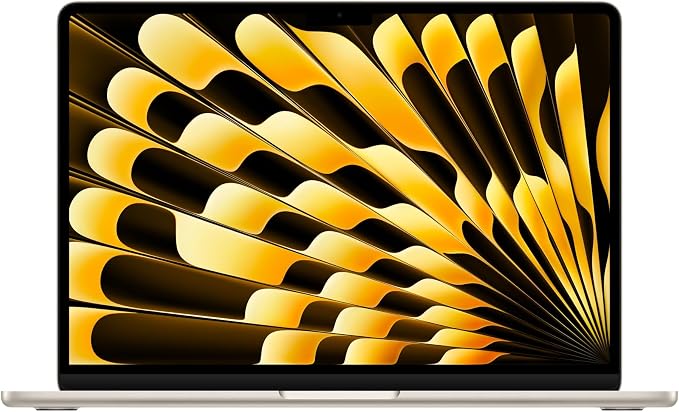
Apple MacBook Air 13-inch (M5, 2026)
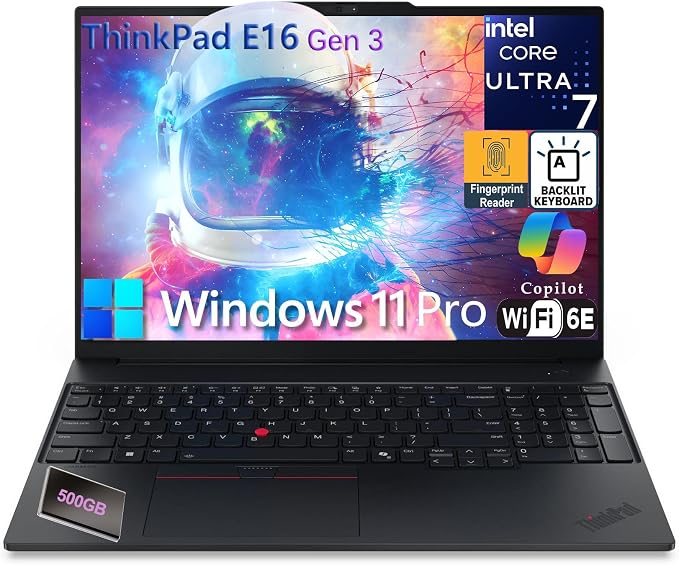
Lenovo ThinkPad E16 Gen 3 (Ultra 7)
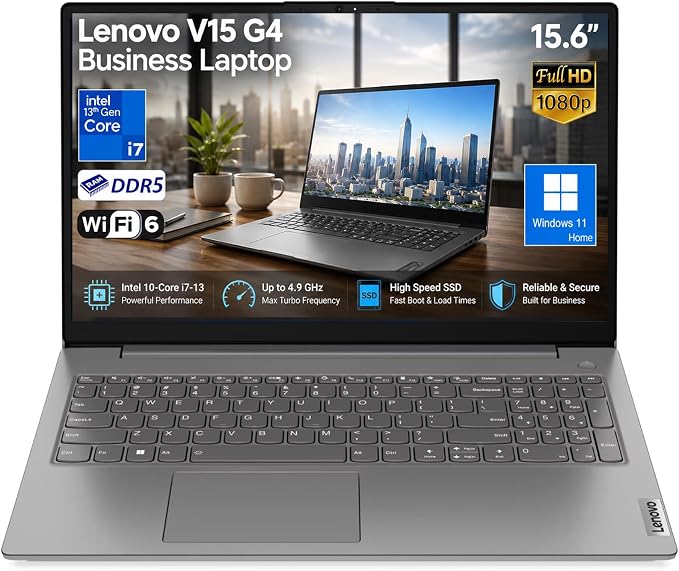
Lenovo V15 G4 Business (i7-13620H)
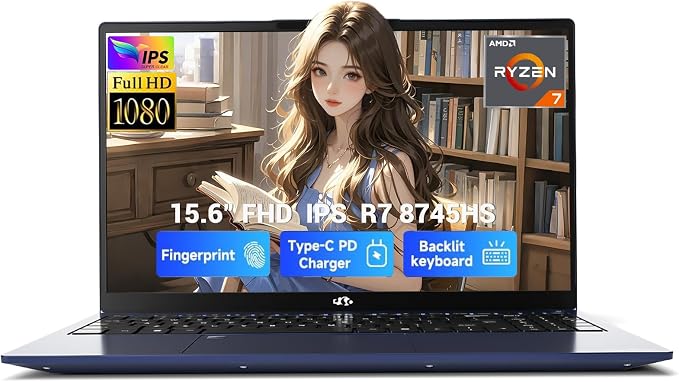
NIMO 15.6" (Ryzen 7 8745HS)
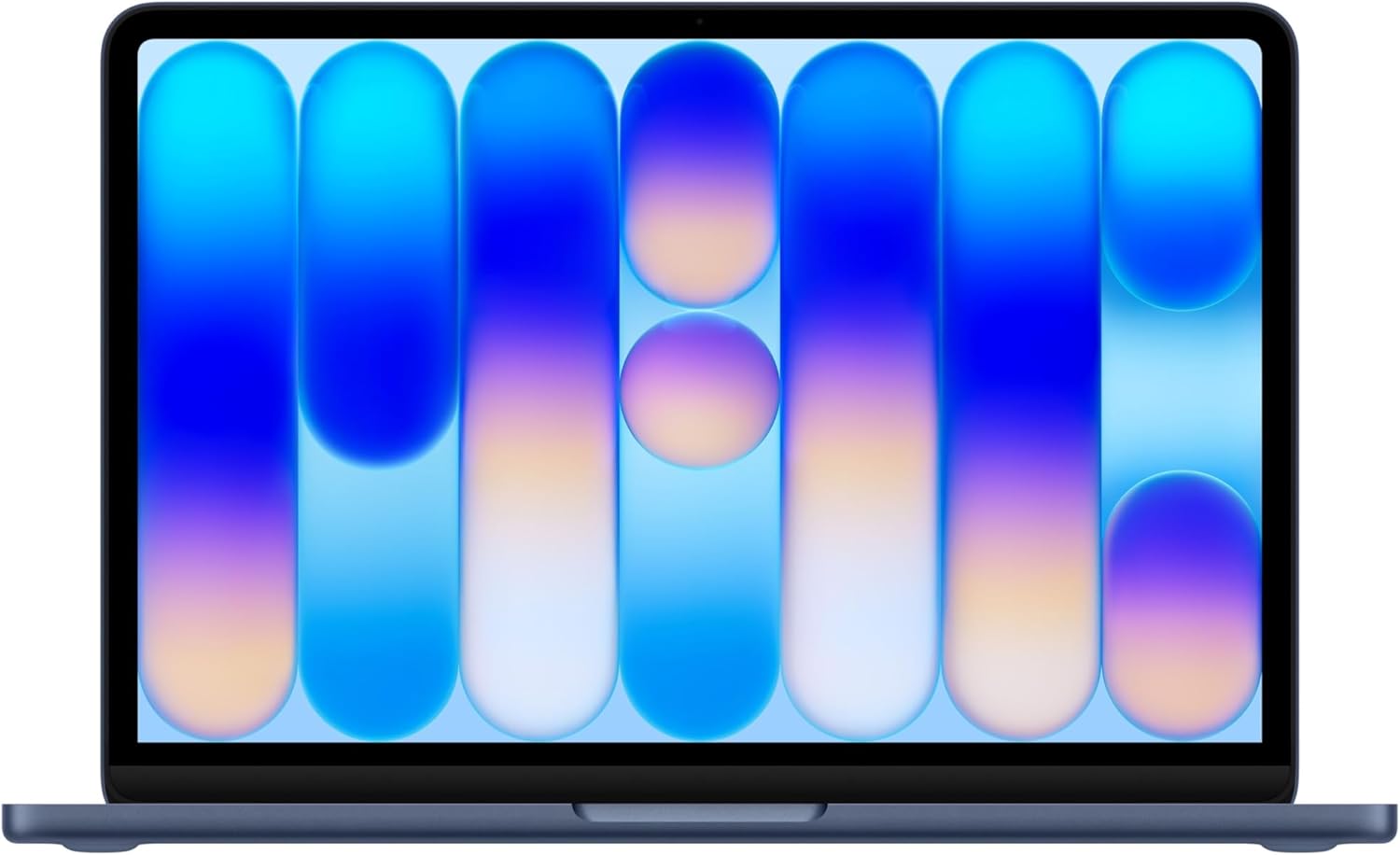
Apple MacBook Neo 13-inch (A18 Pro, 2026)
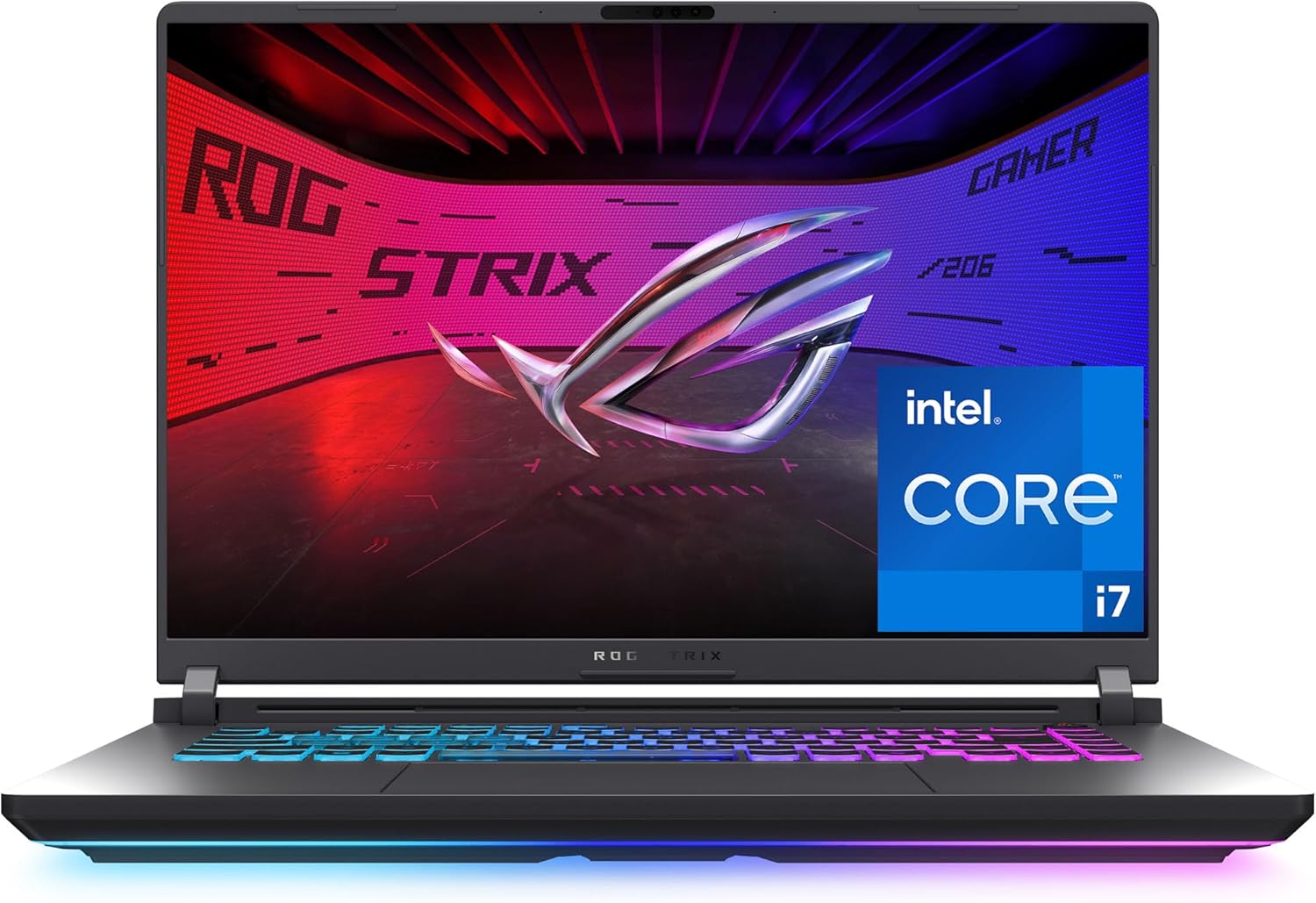
ASUS ROG Strix G16 (2025)
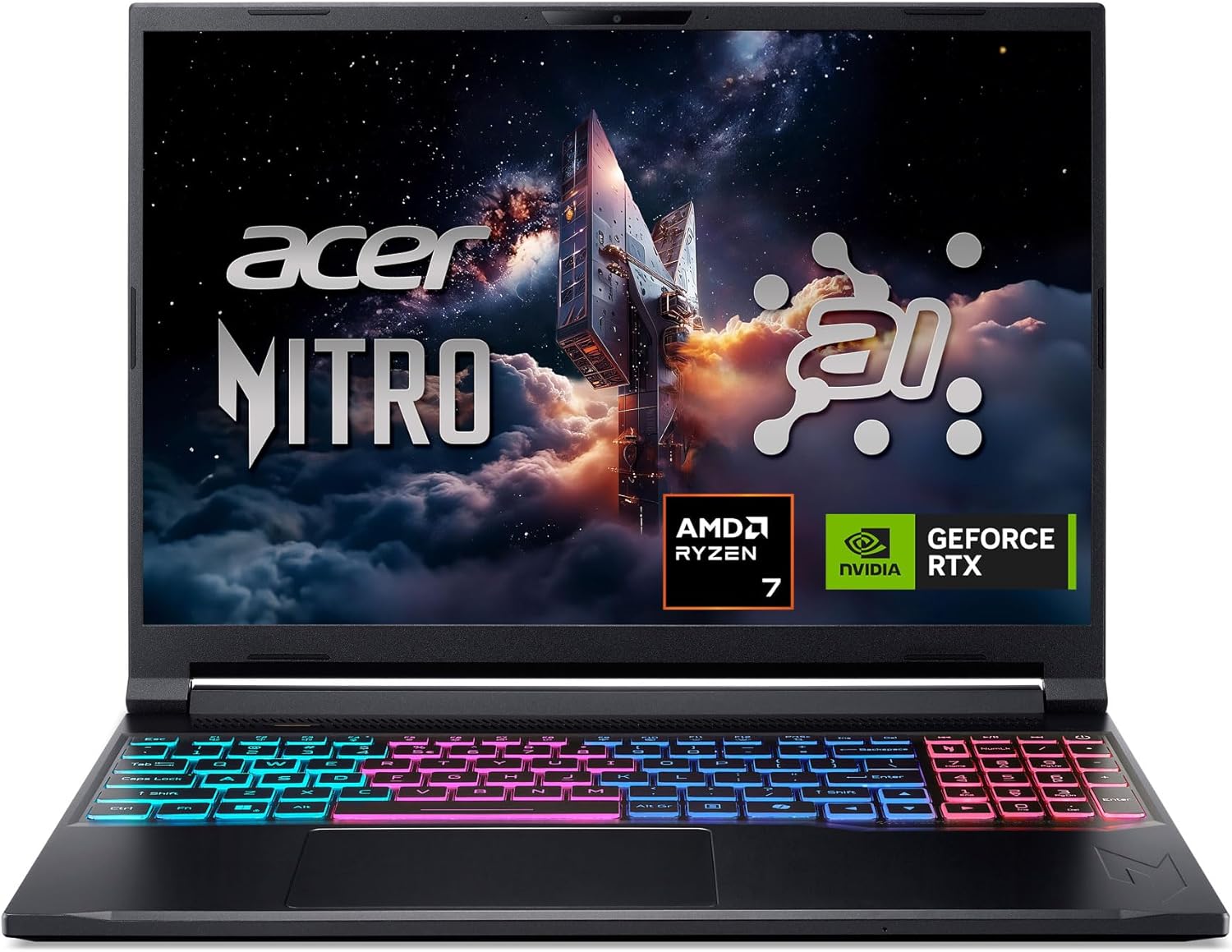
Acer Nitro V 16S AI
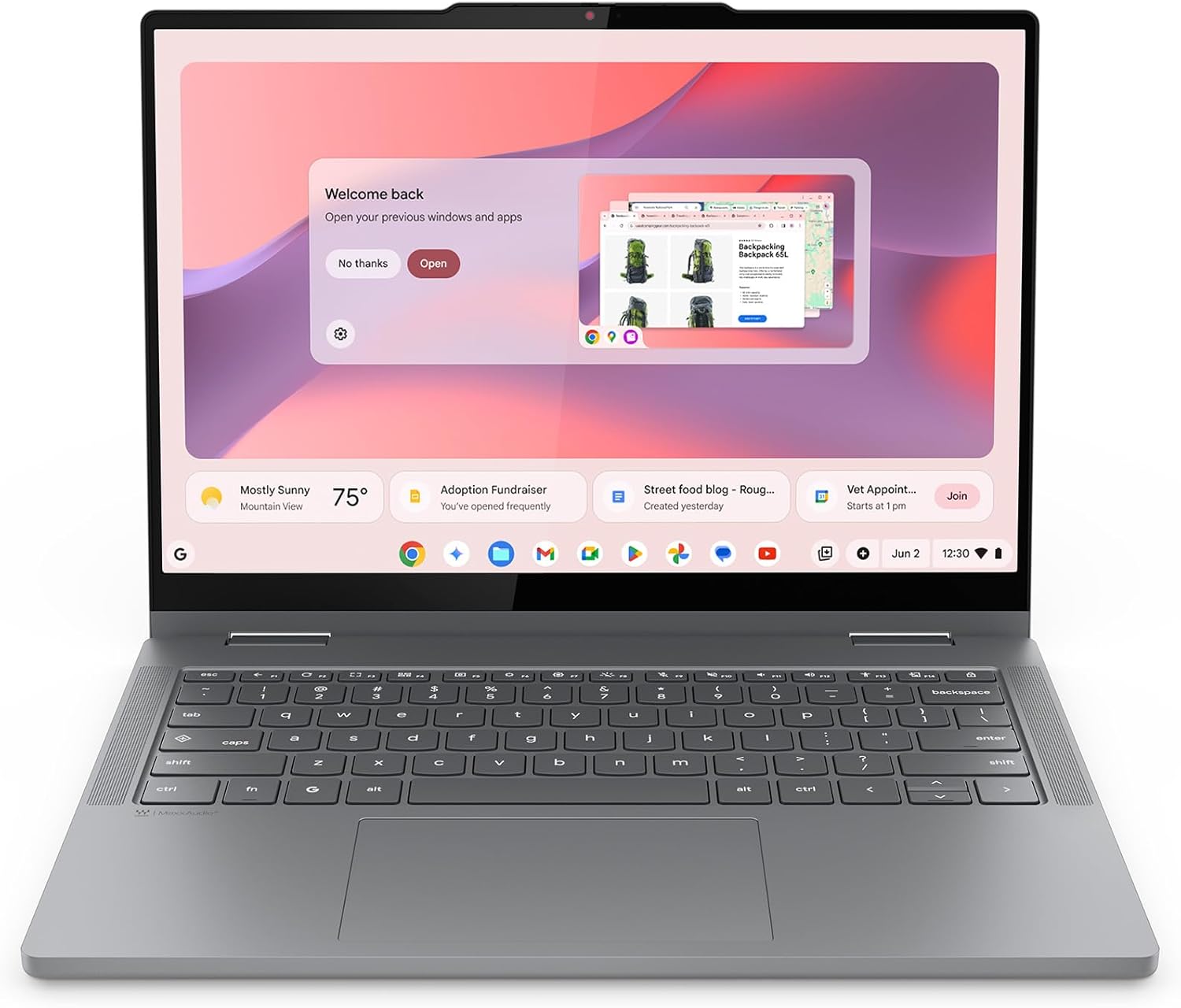
Lenovo Chromebook 2-in-1
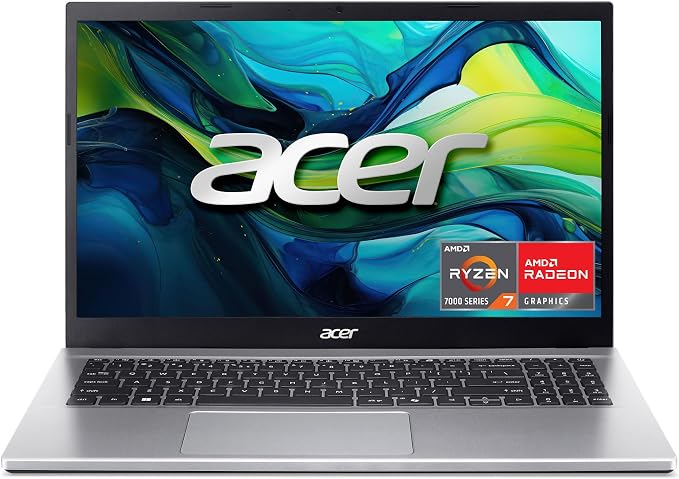
Acer Aspire Go 15 (Ryzen 7 7730U)
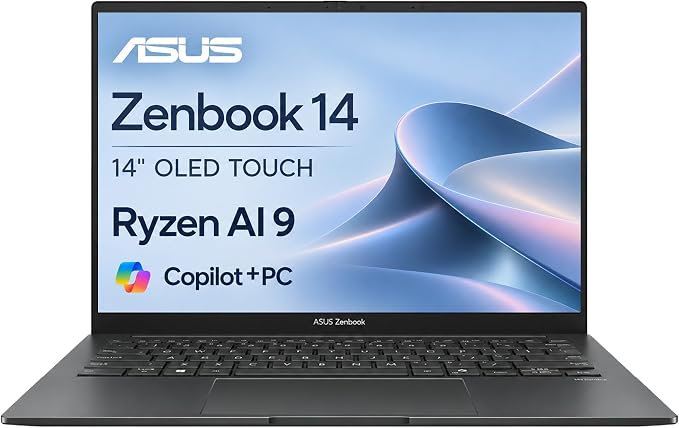
ASUS Zenbook 14 OLED (Ryzen AI 9 465)
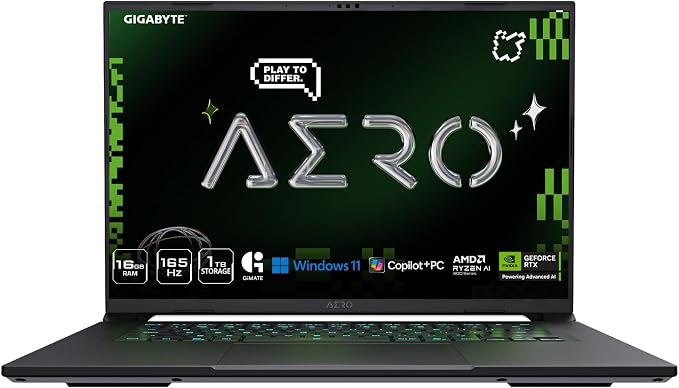
GIGABYTE AERO X16
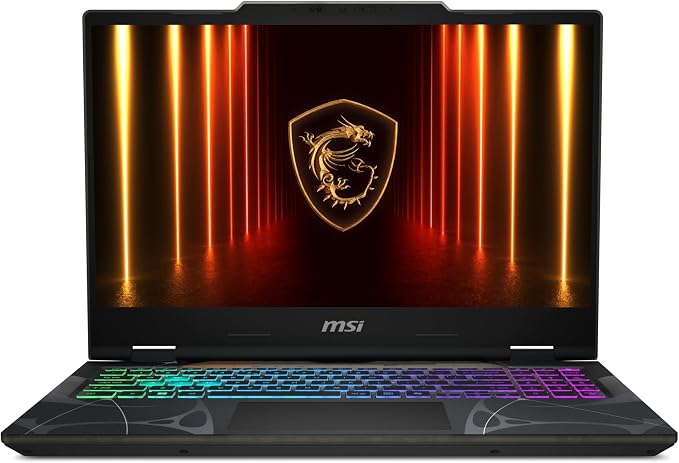
MSI Cyborg 15
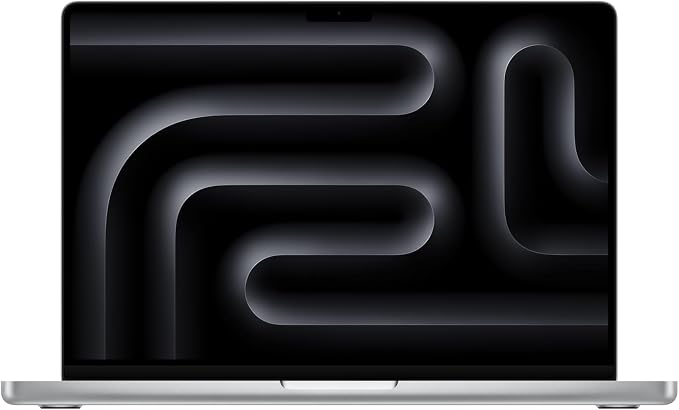
Apple MacBook Pro 14-inch (M5 Pro, 2026)
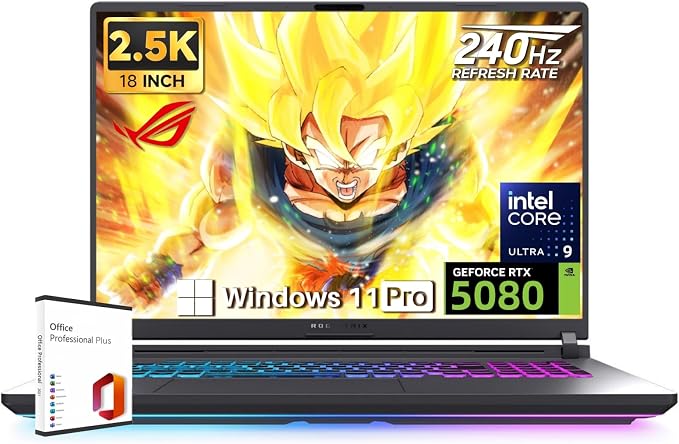
ASUS ROG Strix G18 (2026, RTX 5080)
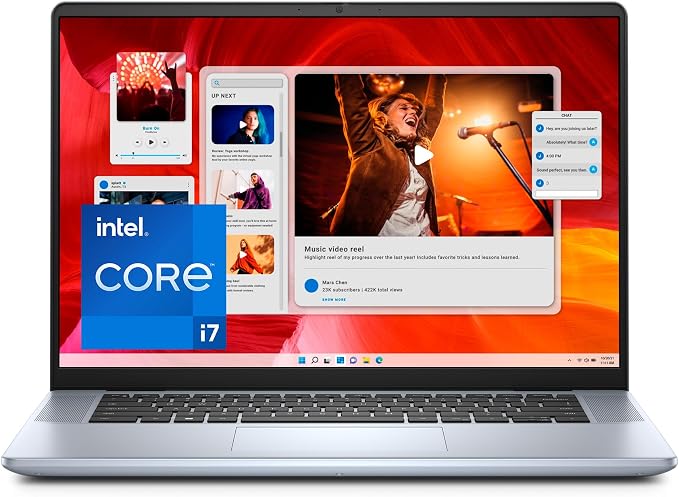
Dell Inspiron 16 Plus 7640 (i7-13620H)
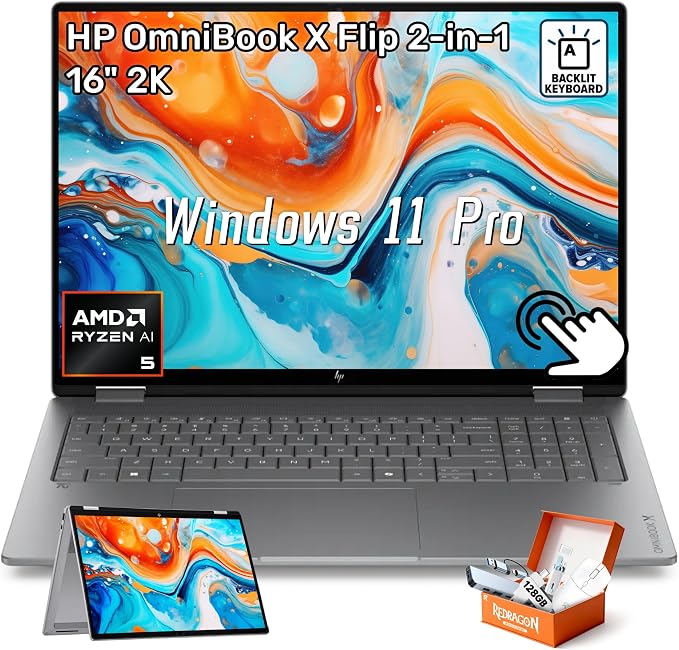
HP OmniBook X Flip 16 (2-in-1, 2026)
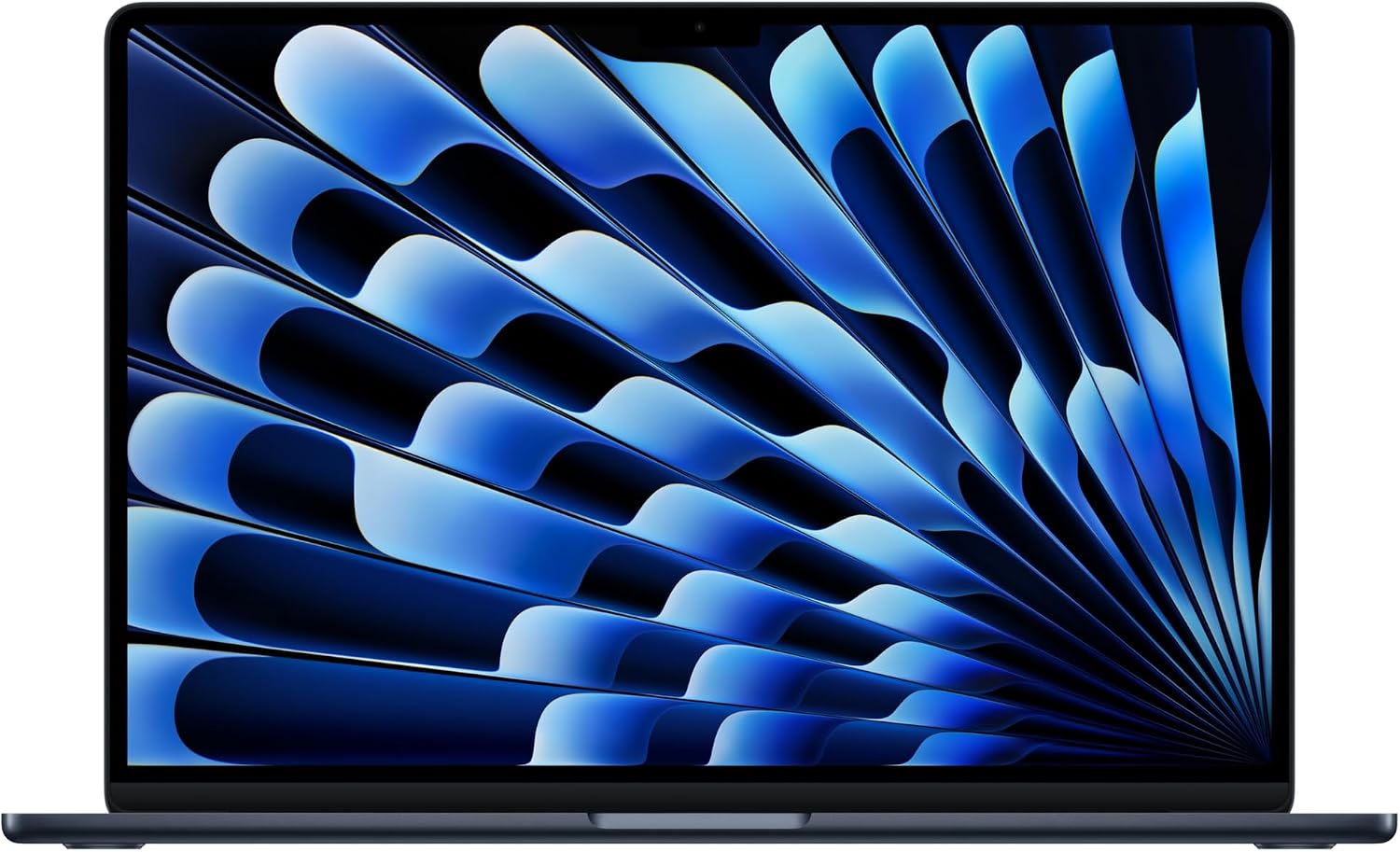
Apple MacBook Air 15-inch (M5, 2026)
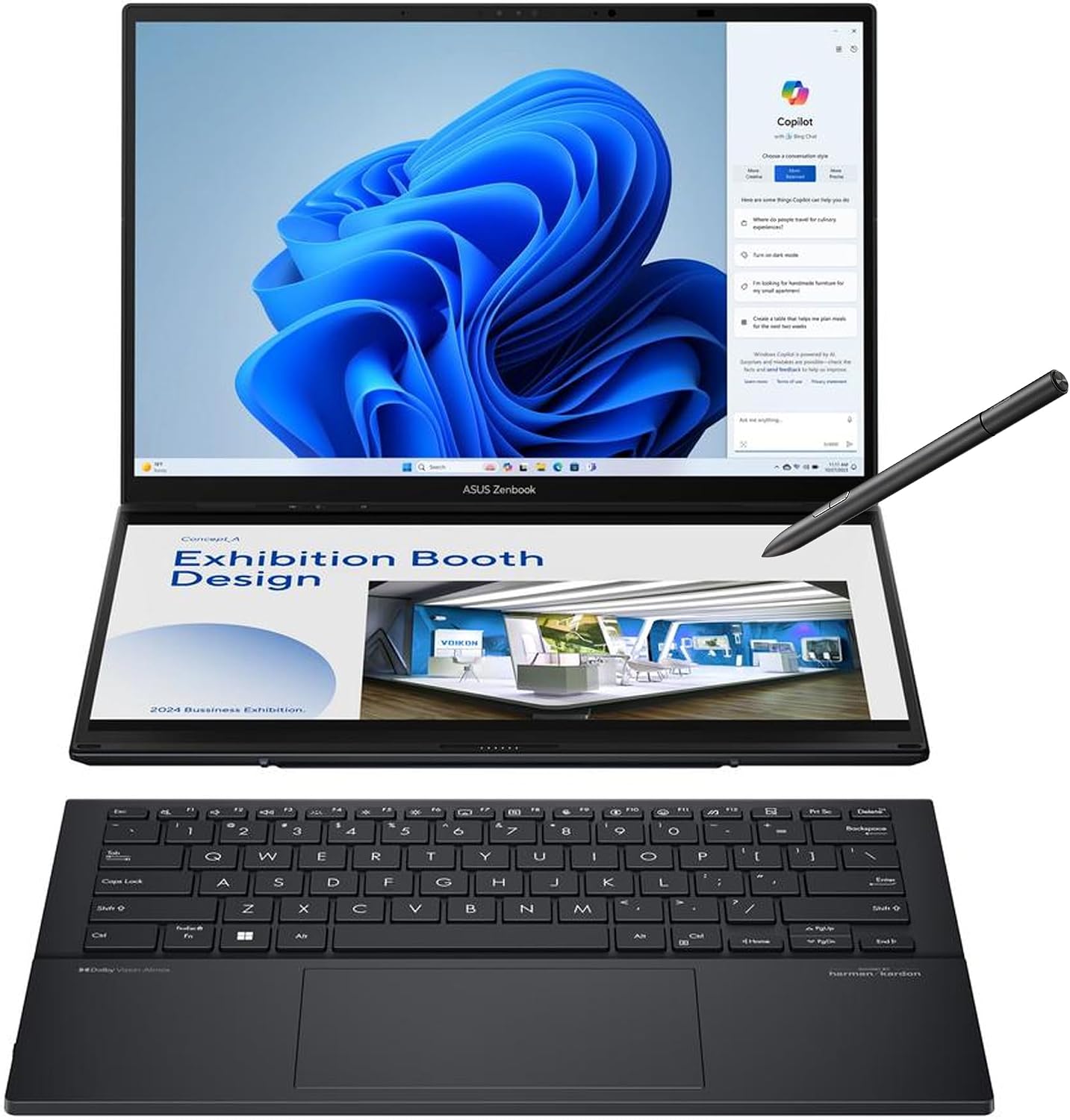
ASUS Zenbook Duo 14 (UX8406CA, 2025)
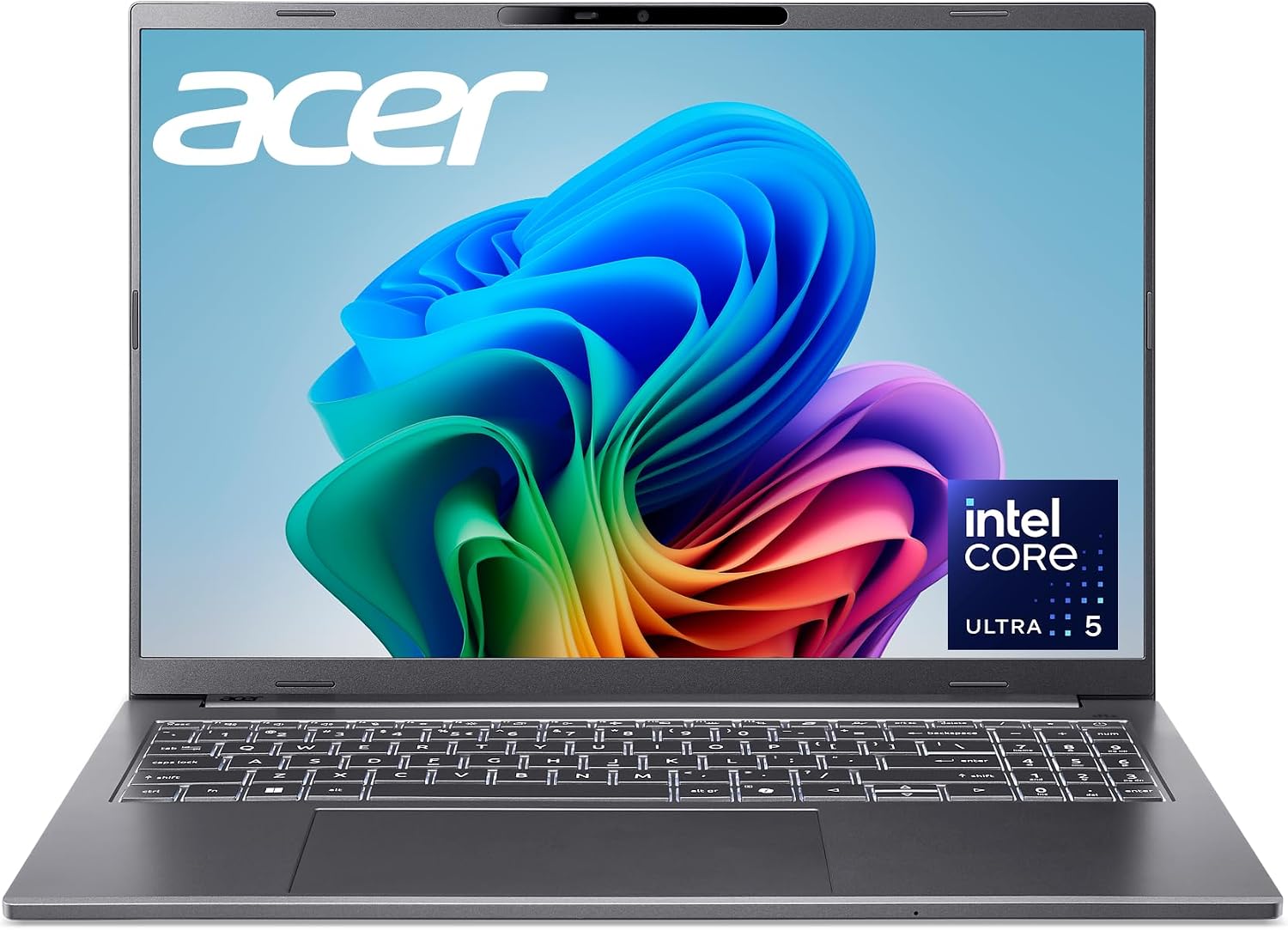
Acer Aspire 16 AI (A16-52M-58A1, 2026)
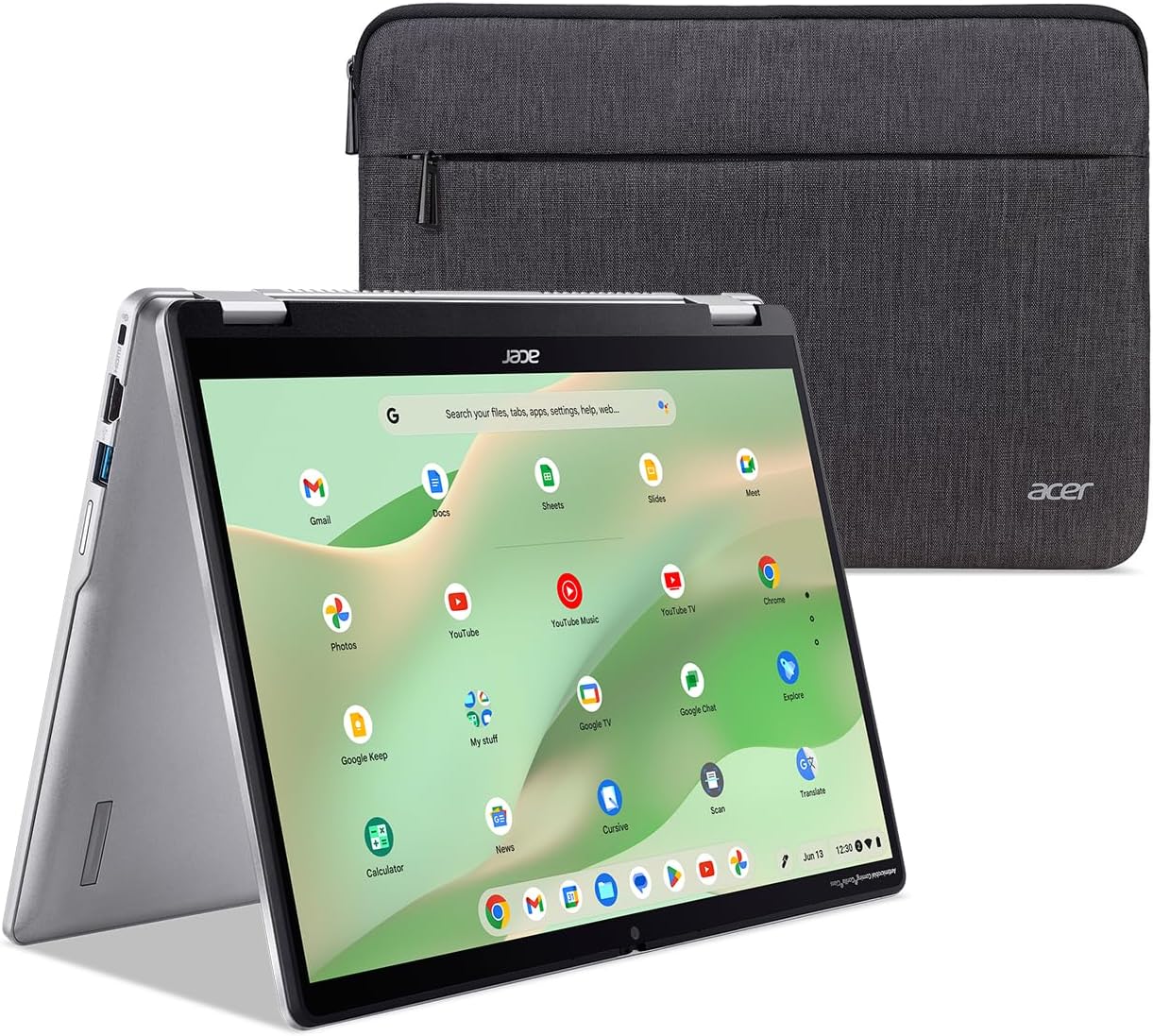
Acer Chromebook Spin 314 (CP314-2HN-30V1)
Quick verdict
The Apple MacBook Air 13" M5 is still the best laptop for most people — fanless, ~18-hour battery, M5 performance — for around $1,199, while the new MacBook Neo brings full macOS down to ~$699. For gaming, the ASUS ROG Strix G16 is the best all-round RTX 5060 pick, and the Acer Nitro V 16S gives you 32GB RAM and a 180Hz screen for ~$1,400. The ThinkPad E16 Gen 3 remains the best business laptop, the NIMO Ryzen 7 the best budget gaming-capable option, the Lenovo V15 G4 the cheapest 15-inch i7, and the Lenovo Chromebook 2-in-1 the budget student convertible. New this refresh: the Acer Aspire Go 15 is the best sub-$600 Windows laptop, the ASUS Zenbook 14 OLED the best OLED ultraportable, the GIGABYTE AERO X16 the best creator laptop, and the MSI Cyborg 15 the thin-and-light gaming value play. New this refresh: the MacBook Pro 14-inch M5 Pro is the pro laptop to beat, the ASUS ROG Strix G18 the only true desktop replacement, the Dell Inspiron 16 Plus the best big-screen value at ~$818, and the HP OmniBook X Flip 16 the best large 2-in-1. New this refresh: the MacBook Air 15-inch M5 is the best big-screen Mac at ~$1,259, the ASUS Zenbook Duo the only dual-screen laptop worth the bulk, the Acer Aspire 16 AI the best 16-inch value at ~$800, and the Acer Chromebook Spin 314 the best budget convertible at ~$500.
At a glance: specs and price
| Feature | Apple MacBook Air 13-inch (M5, 2026) | Lenovo ThinkPad E16 Gen 3 (Ultra 7) | Lenovo V15 G4 Business (i7-13620H) | NIMO 15.6" (Ryzen 7 8745HS) | Apple MacBook Neo 13-inch (A18 Pro, 2026) | ASUS ROG Strix G16 (2025) | Acer Nitro V 16S AI | Lenovo Chromebook 2-in-1 | Acer Aspire Go 15 (Ryzen 7 7730U) | ASUS Zenbook 14 OLED (Ryzen AI 9 465) | GIGABYTE AERO X16 | MSI Cyborg 15 | Apple MacBook Pro 14-inch (M5 Pro, 2026) | ASUS ROG Strix G18 (2026, RTX 5080) | Dell Inspiron 16 Plus 7640 (i7-13620H) | HP OmniBook X Flip 16 (2-in-1, 2026) | Apple MacBook Air 15-inch (M5, 2026) | ASUS Zenbook Duo 14 (UX8406CA, 2025) | Acer Aspire 16 AI (A16-52M-58A1, 2026) | Acer Chromebook Spin 314 (CP314-2HN-30V1) |
|---|---|---|---|---|---|---|---|---|---|---|---|---|---|---|---|---|---|---|---|---|
| Price (from) | ~$1,199 (Apple MSRP; Amazon price varies) | ~$649 | ~$649 | ~$639 | ~$699 (MSRP) | ~$1,600 | ~$1,400 | ~$490 | ~$549 (frequently discounted) | ~$1,199 | ~$1,329 | ~$1,249 | ~$2,699 (Apple MSRP $3,199 for this 24GB/2TB config) | ~$3,249 (US street; marketplace listings vary) | ~$818 (list $949.99 — wait for a deal) | ~$899 (street prices range roughly $700–$950 by config) | ~$1,259 street (Apple MSRP $1,499 for 16GB/512GB; Amazon shows no featured offer for some delivery addresses) | ~$2,060 (list $2,299.99; Amazon-sold at a 10% discount) | ~$799.99 (Amazon-sold, in stock) | ~$499.99 (Amazon-sold, in stock) |
| Display | 13.6" Liquid Retina, 60Hz | 16" WUXGA (1920×1200) IPS | 15.6" FHD (1920×1080) anti-glare | 15.6" FHD (1920×1080) IPS | 13" Liquid Retina, 500 nits | 16" FHD+ 165Hz (~300 nits) | 16" WUXGA IPS 180Hz | 14" WUXGA IPS touchscreen | 15.6" FHD (1920×1080) IPS, 60Hz | 14" OLED touchscreen (1920×1200) | 16" WQXGA (2560×1600) IPS, 165Hz | 15.6" FHD (1920×1080) 144Hz | 14.2" Liquid Retina XDR mini-LED, 120Hz ProMotion | 18" 2.5K (2560×1600) 240Hz G-SYNC Nebula, 500 nits, 100% DCI-P3 | 16" 2.5K (2560×1600) IPS, 300 nits, 60Hz | 16" OLED touchscreen (1920×1200) | 15.3" Liquid Retina (2880×1864), 60Hz, 500 nits | Dual 14" 3K OLED touchscreens, 120Hz | 16" WUXGA (1920×1200) IPS, 120Hz, ~300 nits | 14" WUXGA (1920×1200) IPS touch, Gorilla Glass, ~250 nits |
| CPU | Apple M5 (10-core) | Intel Core Ultra 7 255H (16-core) | Intel Core i7-13620H (10-core) | AMD Ryzen 7 8745HS (8-core) | Apple A18 Pro | Intel Core i7-14650HX | AMD Ryzen 7 260 | Intel N150 | AMD Ryzen 7 7730U (8-core/16-thread) | AMD Ryzen AI 9 465 (8-core, Zen 5) | AMD Ryzen AI 7 350 (+ RTX 5060) | Intel Core 5-210H (+ RTX 5060) | Apple M5 Pro (18-core CPU / 20-core GPU) | Intel Core Ultra 9 275HX (24 cores, up to 5.4GHz) | Intel Core i7-13620H (10-core) | AMD Ryzen AI 5 430 (50 TOPS NPU, Copilot+) | Apple M5 (10-core) | Intel Core Ultra 9 285H | Intel Core Ultra 5 226V (40 TOPS NPU, Copilot+) | Intel Core i3-N305 (8-core) |
| RAM | 16GB unified memory | 16GB DDR5 (upgradable to 32GB+) | 16GB DDR4 | 16GB DDR5 | 8GB unified memory | 16GB DDR5 | 32GB DDR5 | 4GB | 16GB DDR4 | 16GB DDR5 | 16GB DDR5 | 16GB DDR5 | 24GB unified memory (soldered) | 32GB DDR5-5600 | 16GB LPDDR5 (soldered) | 16GB LPDDR5X (soldered) | 16GB unified memory (soldered) | 32GB LPDDR5X | 16GB LPDDR5X (soldered) | 8GB LPDDR5 |
| Storage | 1TB SSD | 1TB SSD (2× M.2 slots) | 1TB SSD | 256GB SSD | 256GB SSD | 1TB SSD | 1TB SSD (+ free M.2 slot) | 128GB UFS | 512GB PCIe Gen4 NVMe SSD | 512GB SSD (config varies) | 1TB SSD | 512GB SSD | 2TB SSD | 2TB SSD | 1TB PCIe SSD | 1TB SSD | 512GB SSD | 1TB SSD | 512GB PCIe Gen4 SSD | 128GB eMMC |
| Battery | ~18 hr (Apple rated) | ~7 hr (3-cell) / ~10 hr (4-cell option) | ~5-6 hr (light use) / ~3-4 hr (heavy CPU) | ~6 hr (light use) | ~16 hr video (Apple); ~6-12 hr real | ~6.5 hr light use (much less gaming) | ~4 hr browsing / ~8.5 hr video | ~10-11 hr | ~7–9 hr (53Wh) | ~12 hr (approx) | ~8 hr (moderate use) | ~4 hr (light use) | ~16 hr 45 min (web browsing test); 7–12 hr mixed use reported | ~6 hr 17 min (PCMag test) | config-dependent — up to ~20 hr in one 90Wh video test | up to ~30 hr (HP claim); ~15 hr video in one OLED test | up to 18 hr video / 15 hr web (Apple claims); 10+ hr mixed use reported | ~4–4.5 hr heavy mixed use; ~8.5 hr with both screens in lighter testing | up to 15.5 hr (Acer claim); related 226V configs report ~5–6 hr of normal use | up to 10 hr (Acer claim, unverified for the i3 model) |
| Weight | 2.7 lb | 4.0 lb | 4.1 lb | 3.8 lb | 2.7 lb | 5.84 lb | ~5.5 lb (approx) | ~3.1 lb (approx) | ~3.9 lb (approx) | ~2.9 lb (approx) | ~4.4 lb (approx) | ~4.4 lb (approx) | ~3.5 lb | ~7 lb (approx) | ~4.4 lb (approx) | ~4.2 lb | ~3.3 lb | ~3.6 lb with keyboard (~1.65 kg) | ~3.7 lb | ~3.4 lb |
| Best for | Premium ultraportable | Business / productivity | Home / student / office | Budget / creator / light gaming | Budget macOS / students | Gaming / high refresh | Value gaming / creators | Students / light browsing | Home / students / office | Ultraportable / OLED | Creative work / moderate gaming | Thin & light gaming | Pro creative work | Desktop-replacement gaming | 16-inch office and study | 2-in-1 media and everyday work | Big-screen everyday Mac | Dual-screen productivity | Big-screen everyday Windows | Budget student convertible |
Prices are approximate starting prices researched on October 22, 2026, and may change. Always check the current price on Amazon before buying.
Apple MacBook Air 13-inch (M5, 2026): the premium pick
The MacBook Air 13-inch M5 (2026) is the best ultraportable you can buy right now. The fanless M5 handles real workloads — path-traced Blender viewports, 4K video, multi-monitor code — without thermal throttling or fan noise. Battery life is the killer feature: roughly 12-15 hours of mixed use, matching Apple's 18-hour rated claim.
See Apple's official MacBook Air page or the live Amazon price.
This device is incredibly smooth. It powers on in an instant, hardly heats up, has astonishing battery life, and lets me perform virtually any task without the fans blaring or the machine struggling. It's lightweight, yet it feels incredibly powerful.
Pros
- Fanless design — completely silent even when running Blender path tracing
- ~18 hours of rated battery life, real-world 12-15 hours for most users
- M5 handles photo editing, light video, and code without thermal throttling
- Liquid Retina display is color-accurate out of the box (P3 wide gamut)
Cons
- 60Hz display — no ProMotion 120Hz at this price tier
- 16GB unified memory is the maximum — no upgrade path
- Only 2× USB-C ports (no HDMI, no SD slot)
- $1,199+ is the steepest pick here for what you get
Lenovo ThinkPad E16 Gen 3 (Ultra 7): best business laptop
The ThinkPad E16 Gen 3 is the best business laptop under $700. It keeps the things ThinkPad buyers actually care about — the keyboard, the upgradeable RAM, the dual SSD slots, the TrackPoint nubbin — while fixing earlier E-series build complaints with an aluminum lid.
See Lenovo's E16 Gen 3 page or the live Amazon price.
Build quality is solid, marking a significant upgrade from earlier E-series laptops. It holds up well, stays cool during heavy use, and the keyboard suits me well — better than any other laptop or low-profile keyboard I have used.
Pros
- Aluminum lid + sturdy hinge — a real step up from earlier E-series
- 2× M.2 SSD slots + replaceable DDR5 — actually upgradeable in 2026
- Excellent ThinkPad keyboard (only Apple and ThinkPad still get this right)
- Ultra 7 255H (16-core) handles sustained workloads without thermal throttling
Cons
- Base 3-cell battery is only about 5 hours of real use — get the 4-cell option
- Standard WUXGA panel is dim (45% NTSC); the higher-tier panel costs more
- Speakers are weak — fine for calls, no bass for music
- Plastic chassis around the keyboard (only the lid/bottom are aluminum)
Lenovo V15 G4 Business (i7-13620H): best value consumer
The Lenovo V15 G4 is the best 15-inch laptop under $700 for home and office use. The flagship-class i7-13620H chip and 1TB SSD are unusually generous at this price — the trade-off is battery life, which owners consistently report as mediocre.
See Lenovo's V15 G4 page or the live Amazon price.
I'm really pleased that this Lenovo performs efficiently — the only downside I've encountered is that occasionally when I put it into sleep mode it shuts down entirely. Battery life is a significant factor; I get about 1.5-2.5 hours before it drops from 100% to 15%.
Pros
- i7-13620H (10-core H-series) is genuinely fast — beats most U-series chips at this price
- 1TB SSD + 16GB RAM at $649 is real value
- Full-size 15.6" anti-glare display is easy on the eyes for long sessions
- Good port selection: USB-C, HDMI, SD reader, multiple USB-A
Cons
- Battery life is mediocre — 1.5-2.5 hours of real use per owner reports
- All-plastic construction feels cheaper than the ThinkPad at the same price
- No USB-C charging on all variants (some use barrel-plug only)
- Display is only 250 nits — dim in sunlit rooms
NIMO 15.6" (Ryzen 7 8745HS): the budget pick
The NIMO 15.6" with the Ryzen 7 8745HS is the strongest budget laptop CPU you can buy in 2026. The Radeon 780M integrated graphics also make it the only laptop under $650 here that can handle real gaming — esports, indie, and even some AAA titles at low-medium 1080p.
See NIMO's official site or the live Amazon price.
Pros
- Ryzen 7 8745HS + Radeon 780M beats every Intel iGPU at this price
- 2-year warranty is unusually long for a budget laptop
- Radeon 780M handles light gaming (Hades, indie titles, esports) at 1080p
- 100W USB-C PD charging
Cons
- 256GB SSD is tight for modern Windows — factor in a $50 NVMe upgrade
- Brand recognition is low — fewer third-party accessories/cases
- 256GB base model has slower SSD than the higher-tier 1TB config
- Some owner reports of dead-on-arrival units (check Amazon return policy)
Apple MacBook Neo 13-inch (A18 Pro, 2026): the budget Mac
The MacBook Neo 13-inch is Apple's 2026 answer to "I want a Mac, not a $1,200 one." It pairs the A18 Pro chip with the same fanless aluminum design the MacBook Air made famous, a bright 500-nit Liquid Retina display, and a claimed 16 hours of video battery — for around $699. For students and light users it's the cheapest full macOS experience in years.
The trade-offs are the usual budget-Mac ones: 8GB of unified memory and 256GB of storage are both ceilings, there's no keyboard backlight, and one of the two USB-C ports is USB 2-speed. See Apple's MacBook Neo page or the live Amazon price.
It's the cheapest Mac you can buy and it feels far more premium than the price suggests — but the 8GB of RAM is the one spec that keeps coming up, and it's the thing that will date this machine first.
Pros
- Full macOS at the lowest Mac price in years (~$699)
- Bright, sharp 500-nit Liquid Retina display (2408×1506)
- Premium aluminum build that's fanless and silent, at just 2.7 lb
- Smooth everyday performance for browsing, schoolwork, and streaming
- Real Mac apps and Terminal — not a locked-down mobile OS
Cons
- 8GB unified memory is the ceiling — multitasking gets tight
- 256GB base storage fills up quickly
- No keyboard backlight
- Two USB-C ports with mixed speeds (one is USB 2)
- No Touch ID on the 256GB configuration
- Battery: Apple claims 16 hr video, but a reviewer measured ~6 hr — real-world varies
ASUS ROG Strix G16 (2025): best gaming
The ASUS ROG Strix G16 (2025) is the safest mid-range gaming laptop pick: the RTX 5060 and Core i7-14650HX push the 165Hz screen through modern titles at high settings, and the chassis is noticeably more solid than the plastic budget gaming machines that dominate this price band. You get Thunderbolt 4 and a decent speaker setup, too.
The cost is noise and heat — the fans ramp up hard under load, and the underside gets warm during long sessions. See ASUS's ROG Strix G16 page or the live Amazon price.
For a mid-range RTX 5060 laptop the Strix G16 delivers smooth, stable gaming and a sturdier feel than most — just keep headphones nearby, because the fans make themselves known in performance mode.
Pros
- Strong RTX 5060 + i7-14650HX gaming performance for the price
- Fast 165Hz display keeps fast-paced games smooth
- Solid, sturdy chassis — a step above budget plastic gaming laptops
- Useful connectivity including Thunderbolt 4, plus decent speakers
Cons
- Fans get loud under gaming load (headphones advised in Turbo/Performance mode)
- Hot underside and warm exhausts during long sessions
- FHD+ (1920×1200) is less sharp than 1440p panels; ~300-nit brightness
- Build is 'solid for its class', not premium
Acer Nitro V 16S AI: best value gaming
The Acer Nitro V 16S AI is the value play in the gaming category:32GB of RAM and a 1TB SSD at ~$1,400 is more memory and storage than most rivals, and the 180Hz 16-inch screen is genuinely bright and fast. It games smoothly in Balanced mode and even squeezes in a free M.2 slot for a second drive.
The catch is that the RTX 5060 is capped at ~85W — below its 115W maximum — so it trails higher-power RTX 5060 laptops in raw frame rates, and the plastic keyboard deck flexes. See Acer's Nitro V 16S page or the live Amazon price.
Big screen, big RAM, and a big helping of value — the Nitro V 16S gives you more memory and storage per dollar than almost anything else in this price band, even if the RTX 5060 here runs at a lower power limit.
Pros
- Bright, roomy, fast 16-inch 180Hz display
- Generous 32GB RAM + 1TB SSD for the price
- Solid gaming in Balanced mode; slim, mostly-aluminum feel
- Free M.2 slot for adding a second SSD
Cons
- RTX 5060 capped at ~85W (vs 115W max) — trails higher-power rivals
- Plastic keyboard deck flexes; keys can feel mushy
- Heat and fan noise in Turbo mode, possible throttling under stress
- Screen is good for gaming, not color-critical work
- Battery can drain in Performance/Turbo mode even while plugged in
Lenovo Chromebook 2-in-1: budget 2-in-1
The Lenovo Chromebook 2-in-1 is a student-friendly convertible: a light 14-inch body, a WUXGA IPS touchscreen that flips into tent and tablet modes, and ChromeOS with Google Gemini built in. For web browsing, docs, and note-taking it's quick to boot and responsive, and the battery routinely lasts a school day.
The one spec that defines this machine is 4GB of RAM — fine for a handful of tabs, but it starts to lag once you stack tabs with Android apps or video calls. If you multitask heavily, step up to an 8GB configuration. See Lenovo's Chromebook 2-in-1 page or the live Amazon price.
It's light, the touchscreen and convertible modes are genuinely handy for class, and it lasts a full school day — but the 4GB of RAM is the first thing that gives out when you have too many tabs open.
Pros
- Lightweight and easy to carry
- Useful 2-in-1 touchscreen with convertible modes
- Snappy for basic web, documents, and schoolwork
- Good battery — roughly a school day (~10-11 hr)
- Webcam shutter and fingerprint reader; military-grade durability claim
Cons
- 4GB RAM is the biggest limitation — lags with many tabs or Android apps
- Entry-level N150 can't handle demanding apps or heavy multitasking
- No backlit keyboard
- Battery claims can overstate real-world use
Acer Aspire Go 15 (Ryzen 7 7730U): best budget Windows 11
The Acer Aspire Go 15 (Ryzen 7 7730U) is the best budget Windows laptop in this guide. For around $549 you get an 8-core Ryzen 7, 16GB of RAM, and a fast 512GB Gen4 SSD — a spec sheet that would have cost twice as much a few years ago. It boots in seconds, handles dozens of tabs and Office work without breaking a sweat, and even has a backlit keyboard with a numeric keypad.
The trade-offs are the usual budget ones: a 250-nit, 60Hz display that struggles in bright rooms, weak speakers, and a Ryzen 7 7730U that is an older Zen 3+ platform on DDR4 rather than the newer Zen 4/5 chips. See Acer's Aspire Go 15 page or the live Amazon price.
For a laptop under $550 with a Ryzen 7 7730U and 16GB of RAM, the Aspire Go 15 punches well above its weight — the backlit keyboard and numeric keypad are things you rarely see at this price. The trade-offs are the dim 60Hz display and quiet speakers.
Pros
- 8-core Ryzen 7 7730U at ~$549 is exceptional value — Geekbench 6 multi ~8,900 handles tabs, Office, and light photo editing
- 16GB RAM + 512GB Gen4 SSD is generous at this price — boots in seconds
- Backlit keyboard with a numeric keypad, rare under $600
- Full-HD IPS anti-glare panel (better than the TN screens common at this price)
- ~7–9 hours of real battery life, plus Ethernet, HDMI, and USB-A ports
Cons
- Display is only ~250 nits and 60Hz — dim in bright rooms, no smooth scrolling
- Ryzen 7 7730U is a 2023 Zen 3+ chip on DDR4 — older platform, weaker integrated graphics
- Speakers are quiet, even at max volume
- RAM is soldered (no upgrade path) on most configs
- Plastic build; fan becomes audible under sustained load
ASUS Zenbook 14 OLED (Ryzen AI 9 465): best OLED ultraportable
The ASUS Zenbook 14 OLED is the best OLED ultraportable in this guide. Its 14-inch OLED touchscreen is the headline feature — deep blacks, wide color, and a panel that makes everything from documents to video look better. The AMD Ryzen AI 9 465 (a Zen 5 Copilot+ PC chip) is fast for everyday work, and the light aluminum chassis is easy to carry all day.
The main caveat is heat: like most thin OLED laptops it runs warm under sustained load, and this particular config is sold as a third-party customized listing, so double-check the seller before you order. See ASUS's Zenbook 14 OLED page or the live Amazon price.
The OLED touchscreen is the reason to buy — vivid, deep blacks, and easy on the eyes for long sessions. It's light, well built, and the battery lasts a full workday, though it does get warm under sustained load.
Pros
- Vivid, sharp OLED touchscreen with deep blacks and wide color
- Light, portable, and well-built aluminum chassis
- Ryzen AI 9 465 handles everyday multitasking with ease
- Strong battery life, including for extended video streaming
- Fans stay quiet in normal use
Cons
- Runs warm under sustained load
- This config is a third-party reseller 'customized' listing — confirm the seller before buying
- FHD+ panel is lower-res than the 2.8K Zenbook 14 OLED variants
- 16GB RAM is soldered — no upgrade path
- Thin owner-review pool on Amazon; lean on professional reviews
GIGABYTE AERO X16: best creator laptop
The GIGABYTE AERO X16 is the best creator laptop in this guide. Its 16-inch 2560×1600 165Hz display is the star — sharp, bright, and color-accurate for photo and video work — and the Ryzen AI 7 350 plus RTX 5060 pair handles creative apps and moderate gaming without complaining.
The trade-off is thermals: owners consistently report fan noise under load and a hot underside, and a few have hit graphics-switching glitches that required a BIOS setting change. See GIGABYTE's AERO X16 page or the live Amazon price.
The 2560×1600 165Hz display is genuinely beautiful and the RTX 5060 chews through creative work and moderate gaming — but it runs hot and the fans make themselves known when you push it hard.
Pros
- RTX 5060 + Ryzen AI 7 350 handles demanding creative work and moderate gaming
- Sharp, bright, color-accurate 2560×1600 165Hz display
- Strong performance for the price
- Sleek design and good portability for a 16-inch creator machine
- Decent battery life for its class
Cons
- Fans get loud under load
- Underside gets hot — uncomfortable on a lap during sustained work
- Some owners report graphics-switching glitches (needed a BIOS tweak)
- 16GB RAM on this config — the 32GB config costs more
MSI Cyborg 15: best thin gaming value
The MSI Cyborg 15 is the thin-and-light gaming value pick. The selling point is simple: an RTX 5060 for around $1,249 in a chassis that's lighter than most gaming laptops. The 144Hz display keeps esports titles smooth, and Wi-Fi 6E plus DDR5 keep the platform current.
The catch is cooling and build. Owners on r/MSILaptops consistently report CPU temperatures near 100°C and throttling under load, the RTX 5060 here runs at a reduced power limit (so it trails full-power RTX 5060 laptops), and the hinge and chassis feel fragile. See MSI's Cyborg 15 page or the live Amazon price.
The RTX 5060 at this price is the draw, but the cooling is the weak spot — owners report the CPU hitting the high 90s and throttling under load, and the chassis feels more fragile than it looks.
Pros
- RTX 5060 at a competitive price — the GPU is the main attraction
- Thin-and-light design for a gaming laptop
- Wi-Fi 6E and DDR5 for a modern platform
- 144Hz display keeps esports titles smooth
Cons
- Cooling is marginal — owners report the CPU hitting ~100°C and throttling
- RTX 5060 runs at a reduced power limit, so it trails full-power rivals
- Build quality and hinge feel fragile (recurring owner complaint)
- Battery life is poor (~4 hr light use, much less gaming)
Apple MacBook Pro 14-inch (M5 Pro, 2026): best pro laptop
The MacBook Pro 14-inch (M5 Pro, 2026) is the pick for people whose laptop is a work tool rather than a browser. The M5 Pro's 18-core CPU and 20-core GPU hold their clocks through long renders and compiles, the 120Hz Liquid Retina XDR panel is the best display in this guide, and three Thunderbolt 5 ports mean you can hang fast external storage, a 6K display, and a dock off it at once. Battery life is genuinely pro-grade: 16 hours 45 minutes in one web-browsing test.
You pay for it three ways. First, price — this 24GB/2TB configuration is ~$2,699 against a $3,199 MSRP. Second, weight, at ~3.5 lb it is a full pound heavier than the MacBook Air. Third, repair: iFixit scores it 4/10, with the battery and the fans buried under the logic board. Under sustained load the fans become clearly audible and the chip runs hot — quiet in ordinary use is not the same as cool under every load. See Apple's MacBook Pro page or the live Amazon price.
Quiet in ordinary use, but sustained loads are a different story — one owner measured the fans at roughly 46–47 dBA in High Power mode, and a review logged the chip near 99°C with the area around the function keys at about 45°C.
Pros
- Three Thunderbolt 5 ports at 120 Gbps — the most future-proof connectivity in this guide
- 120Hz mini-LED Liquid Retina XDR: ~1,000-nit HDR highlights with true blacks, and it's Pantone-grade accurate out of the box
- M5 Pro holds its clocks through long renders and compiles — reviewers logged it near 99°C without meaningful throttling
- Fans stay inaudible for everyday work; noise only appears under sustained heavy load
- 16 hr 45 min in one web-browsing battery test (testers on mixed loads saw 7–12 hr)
Cons
- ~$2,699 for this configuration — the steepest price in the guide (MSRP $3,199)
- iFixit scores the 2026 14-inch 4/10: battery replacement is complex and fans and ports sit under the logic board
- In High Power mode the fans reach roughly 46–47 dBA and the function-key area gets warm under sustained load
- ~3.5 lb — noticeably heavier than the 2.7 lb MacBook Air sitting above it
- Memory and storage are soldered, so buy the spec you want up front — there is no upgrade path
ASUS ROG Strix G18 (2026, RTX 5080): best desktop replacement
The ROG Strix G18 (2026) is the only true desktop replacement in this guide. The Core Ultra 9 275HX and RTX 5080 16GB put 24 CPU cores and a top-tier GPU in one chassis, and the 18-inch 2560×1600 240Hz G-SYNC panel is bright enough (500 nits) and accurate enough (100% DCI-P3, Pantone validated) for colour work as well as games. A MUX switch and Advanced Optimus add roughly 5–10% frame rate by bypassing the integrated GPU, and a vapor chamber with three fans and liquid metal keeps thermals in check.
The trade-offs are physical. It costs around $3,249, weighs roughly 7 lb, and PCMag measured 6 hours 17 minutes of battery — this is a machine that stays plugged in. The fans are also clearly audible once you load it up. See ASUS ROG's Strix G18 page or the live Amazon price.
Desktop-class performance and a superb 240Hz 2.5K screen, but battery life, fan noise and sheer size are the recurring complaints — this is a machine you buy for a desk, not a backpack.
Pros
- Core Ultra 9 275HX (24 cores) plus RTX 5080 16GB is desktop-class hardware in a laptop
- 18-inch 2560×1600 240Hz G-SYNC panel: 500 nits, 100% DCI-P3, Pantone validated, with an ACR film that cuts glare
- Advanced Optimus plus a MUX switch sends frames straight from the RTX 5080 to the panel for roughly 5–10% more FPS
- Vapor chamber, three fans, and liquid metal on both CPU and GPU keep it cool under sustained load
- 2× Thunderbolt 5, 2× USB-C, 3× USB-A, HDMI 2.1, 2.5G Ethernet and Wi-Fi 7 — no dongle bag required
Cons
- ~$3,249 is the highest price in this guide — you are paying for the halo config
- Battery life is desktop-replacement reality: PCMag measured 6 hr 17 min
- ~7 lb and an 18-inch footprint — this lives on a desk, not in a bag
- Fans are clearly audible under load, and Best Buy review summaries repeatedly flag the noise
- The Amazon listing is marketplace-sold with reseller RAM/SSD configurations — check the seller and the exact spec before buying
Dell Inspiron 16 Plus 7640 (i7-13620H): best big-screen value
The Dell Inspiron 16 Plus 7640 is the value play if you want a big, sharp screen without paying ultrabook money. For around $818 on deal you get a 2560×1600 2.5K panel, an all-metal chassis, a 1TB SSD, and the Core i7-13620H — plenty for Office, dozens of tabs, and light photo work. Reviewers also single out the Dolby Atmos speakers and the 1080p webcam as better than this price usually buys.
Know what you are giving up. The panel is 300 nits and 60Hz, which is dim and unsmooth next to the OLED and mini-LED screens elsewhere in this guide, and its colour accuracy rules out serious creative work. The 16GB of LPDDR5 is soldered, the UHD graphics can't game, and the keyboard flexes under firm typing. It is also a 2023-era platform, so buy it on a deal rather than at the $949.99 list price. See Dell's Inspiron 16 Plus page or the live Amazon price.
The metal build and the 2.5K screen are the draw at this price, but the reviewed panel is only 300 nits and 60Hz with colour accuracy that isn't good enough for graphics professionals — and the keyboard flexes under firm typing.
Pros
- A 2560×1600 panel at ~$818 is rare — 2.5K resolution sharpens text and buys real vertical workspace
- All-metal chassis that NotebookCheck rates well for the money
- Comfortable, full-size keyboard with a 1TB SSD as standard
- Runs quiet and cool in the reviewed configuration, and the Dolby Atmos speakers are a cut above most budget laptops
- 1080p webcam described as detailed and colour-accurate in good light
Cons
- The reviewed 2.5K panel is only 300 nits and 60Hz — serviceable indoors, washed out in bright rooms
- Colour accuracy isn't good enough for serious photo or video work
- i7-13620H pairs with Intel UHD graphics — fine for office work, poor for gaming or GPU-heavy apps
- 16GB of LPDDR5 is soldered, so there is no memory upgrade path
- Keyboard flexes in the left and centre sections, and the touchpad is only 'decent'
- It's a 2023-era CPU platform — at the $949.99 list price, newer Core Ultra machines make more sense
HP OmniBook X Flip 16 (2-in-1, 2026): best 2-in-1
The HP OmniBook X Flip 16 is the convertible pick, and the only 2-in-1 in this guide above budget. The 16-inch OLED touchscreen is the best display you can get for under $1,000, the 360° hinge gives you four genuinely useful modes, and the Ryzen AI 5 430 brings a 50 TOPS NPU — enough for Copilot+ features to run on-device. You get a 1TB SSD, Wi-Fi 7, and the kind of battery life (roughly 15 hours of video in testing) that makes it a good travel companion.
Two honest caveats. First, the panel is 1920×1200 — HP calls it "2K", but it is a WUXGA screen, not the 2560×1600 you get elsewhere at this price. Second, CNET's review of this line was critical of the keyboard and touchpad, and flagged fan noise around 38 dB(A) with real heat under heavy load. With 16GB soldered and no upgrade path, this is a machine to buy for media, calls, and everyday work rather than sustained heavy tasks. See HP's OmniBook page or the live Amazon price.
A convertible with a lovely OLED screen and all-day battery, let down by a mushy keyboard and a mechanical touchpad — and treated to noticeable fan noise and heat once you push it.
Pros
- 16-inch OLED touchscreen makes this the best screen for films and photos under $1,000
- Four modes — laptop, tablet, tent and stand — are genuinely useful for video calls and reading
- A 50 TOPS NPU with Copilot+ status means on-device AI features run locally rather than in the cloud
- 1TB SSD as standard, plus Wi-Fi 7 and a backlit keyboard
- Quiet in everyday use, and HP's 30-hour battery claim is directionally right: roughly 15 hours of video in testing
Cons
- 1920×1200 is WUXGA — marketed as '2K', but it is not a 2560×1600 panel
- CNET's review of this line criticised the keyboard and the mechanical touchpad
- Heavy loads push fan noise to around 38 dB(A) with noticeable heat, partly because of limited clearance under the chassis
- ~4.2 lb and 16 inches across — cumbersome to carry for a convertible
- 16GB LPDDR5X is soldered, so plan for a fixed memory ceiling
- Amazon availability is marketplace-only — check the seller and the exact configuration
Apple MacBook Air 15-inch (M5, 2026): best big-screen Mac
The MacBook Air 15-inch (M5, 2026) is the answer for anyone who liked the 13-inch Air but wanted more screen. It uses the same fanless M5 and the same 16GB of unified memory, but wraps them in a 15.3-inch Liquid Retina panel that makes a real difference for spreadsheets, timelines and side-by-side documents. Battery life is the headline: Apple rates 18 hours of video and 15 hours of web browsing, and owners report 10+ hours of mixed use.
The trade-offs are the ones Apple has trained us to expect. There are only two Thunderbolt 4 ports, so a dock or hub is part of the real cost, and the panel is 60Hz at a $1,499 MSRP. Memory and storage are soldered. It is also a bigger, heavier laptop than the 13-inch model — fine on a desk, more noticeable in a backpack. If you occasionally render or compile for hours, the MacBook Pro 14-inch M5 Pro is the honest upgrade; for everyone else, this is the most sensible large Mac. See Apple's MacBook Air page or the live Amazon price.
Owners keep landing on the same two points: the 15.3-inch screen is worth the extra size and weight, and the port count is the thing you notice every day — most have a dongle permanently in their bag.
Pros
- 15.3-inch panel gives real working room for spreadsheets and timelines without the MacBook Pro's price or ~3.5 lb bulk
- Fanless M5 — completely silent in everyday work, and fast enough for photo editing, light video and code
- Apple rates 18 hours of video and 15 hours of web browsing; owners report 10+ hours of mixed use
- MagSafe charging keeps both Thunderbolt 4 ports free, and it drives up to two external displays
- 4.8★ across 739 Amazon ratings — the best-established pick in this refresh
Cons
- Only two Thunderbolt 4 ports and no HDMI or SD slot — a hub is close to mandatory
- 60Hz Liquid Retina panel: sharp and accurate, but no ProMotion at a ~$1,500 MSRP
- 16GB of memory and 512GB of storage are soldered — buy the spec you will need in five years
- No fan means sustained exports and renders are exactly where the MacBook Pro pulls ahead
- ~3.3 lb and noticeably larger in a bag than the 13-inch Air
ASUS Zenbook Duo 14 (UX8406CA, 2025): best dual-screen
The Zenbook Duo 14 (UX8406CA) is the one laptop here that does something a normal clamshell cannot. It pairs a 14-inch 3K OLED touchscreen with a second identical panel beneath a detachable keyboard, so it works as a conventional laptop, as a stacked dual-screen workstation, or as a tablet-like slab. The Core Ultra 9 285H, 32GB of memory and 1TB SSD mean the hardware keeps up with the concept.
The cost is portability. With the keyboard attached it weighs about 1.65 kg and is noticeably bulkier than a normal 14-inch ultraportable, and battery life ranges from roughly 4 hours in heavy mixed use to about 8.5 hours with both screens in lighter testing — nowhere near an all-day machine. The keyboard is usable but shallow, and a minority of owners report software glitches and Bluetooth pairing quirks. Buy it if the second screen will genuinely hold your chat, email or monitoring panes; otherwise the ASUS Zenbook 14 OLED does the same job for far less. See ASUS's Zenbook Duo page or the live Amazon price.
The dual-screen setup stops feeling like a demo after a week — the complaint is everything around it: it is heavy for a 14-inch, the keyboard is shallow, and real battery life is four to five hours, not all day.
Pros
- Two 14-inch 3K OLED touchscreens — the second screen is genuinely useful for chat, monitoring and timelines, not a gimmick
- Detachable Bluetooth keyboard and kickstand give you laptop, stacked dual-screen and desktop modes
- Core Ultra 9 285H with 32GB of memory and a 1TB SSD handles heavy multitasking and creative work
- Reviewers and Best Buy owners agree on the displays and speed; the owner average there sits at 4.6/5
- Amazon-sold at $2,059.99 against a $2,299.99 list, with stock
Cons
- Battery is the weak spot: roughly 4–4.5 hours in demanding mixed tests, and it depends heavily on whether the second screen is on
- ~1.65 kg with the keyboard and bulky for a 14-inch — owners consistently describe it as heavier than expected
- Shallow keyboard travel takes adjustment, and the trackpad is adequate rather than good
- A minority of owners report freezes or black screens after updates and finicky Bluetooth keyboard pairing
- At ~$2,060, the second screen has to earn its keep — a conventional ultraportable buys a lot at this price
Acer Aspire 16 AI (A16-52M-58A1, 2026): best 16-inch value
The Acer Aspire 16 AI (A16-52M-58A1) is the mainstream Windows pick at a price that is hard to argue with: $799.99, sold directly by Amazon, for a 16-inch 120Hz laptop with an Intel Core Ultra 5 226V. The chip carries a 40 TOPS NPU, which makes it a proper Copilot+ machine rather than one with a sticker, and you get 16GB of LPDDR5X, a 512GB Gen4 SSD and Wi-Fi 7.
Know what you are buying. This is an IPS panel at roughly 300 nits— perfectly pleasant indoors, but not the OLED some Aspire 16 AI listings carry, so verify the SKU before ordering. Memory is soldered, and Acer's 15.5-hour battery claim should be treated as a best case: closely related 226V configurations report 5–6 hours of normal use. Because the model is new, there is not yet an owner consensus to lean on — the case for it rests on the spec sheet and the price, which is a genuinely strong one. See Acer's Aspire 16 AI page or the live Amazon price.
Pros
- $799.99 for a 16-inch, 120Hz, Copilot+ laptop sold and shipped by Amazon — no marketplace markup
- The 40 TOPS NPU means Copilot+ features run on-device rather than in the cloud
- 512GB Gen4 SSD and Wi-Fi 7 at a price where many rivals still ship 256GB and Wi-Fi 6
- 16:10 WUXGA gives more vertical room than the 15.6-inch 16:9 panels common at this price
- Light for a 16-inch at around 3.7 lb, with a 120Hz panel that makes scrolling and everyday motion smoother
Cons
- The panel is roughly 300 nits — fine indoors, visibly washed out next to a window
- 16GB LPDDR5X is soldered, so there is no memory upgrade path
- Acer's 15.5-hour battery claim is optimistic; related 226V configurations report about 5–6 hours of normal use
- Too new for a real owner consensus — very few ratings on the listing so far
- Intel Arc 130V integrated graphics are for everyday work, not gaming
- Check the exact SKU: Aspire 16 AI variants differ in panel (IPS vs OLED) and memory
Acer Chromebook Spin 314 (CP314-2HN-30V1): best budget convertible
The Acer Chromebook Spin 314 (CP314-2HN-30V1) is the budget convertible I would actually recommend, because it avoids the two specs that make cheap Chromebooks miserable. It has 8GB of LPDDR5 and an 8-core Core i3-N305 instead of 4GB and an N-series chip, and a 14-inch 1920×1200 touchscreen instead of a 1366×768 panel. The 360° hinge, Gorilla Glass and matte finish make it a genuinely usable tablet, and it is $499.99 sold directly by Amazon.
The compromises are brightness and storage. At roughly 250 nits, the screen is fine at a desk and weak by a window, and the 128GB of eMMC is slower than an SSD and cannot be upgraded. No stylus is included despite the pen-supportive panel, and Acer's 10-hour battery claim is not independently verified for this i3 configuration. For schoolwork, browsing and streaming it is the right shape and the right price; for anything that needs Windows software, look at the Acer Aspire Go 15 instead. See Acer's Chromebook Spin 314 page or the live Amazon price.
The i3/8GB version is the one to buy — the chassis and hinge are sturdy and the 16:10 touchscreen is a real upgrade, but the ~250-nit panel is the recurring complaint in bright rooms.
Pros
- 8GB of LPDDR5 and an 8-core i3-N305 — a real step up from the 4GB/N100 Chromebooks that dominate this price
- 14-inch 16:10 WUXGA touchscreen is sharper and taller than the 1366×768 panels common under $500
- 360° hinge with Gorilla Glass and a matte touch finish, so it works as a tablet or a tent
- Wi-Fi 6E, an FHD webcam and a full port selection in a ~3.4 lb chassis
- Sold and shipped by Amazon at $499.99, in stock — no third-party markup
Cons
- ~250-nit panel — dim outdoors and in bright rooms
- 128GB of eMMC rather than NVMe: slower large-file writes and no upgrade path
- The screen is pen-supportive but no stylus is included — verify the exact SKU
- Acer's 10-hour battery claim is unverified for the i3 configuration
- ChromeOS still cannot run full Windows or macOS desktop apps
- Heavier and more awkward in tablet mode than a detachable
Which laptop should you buy?
- Most people → Apple MacBook Air 13" M5. Silent, all-day battery, real performance — worth the premium.
- Budget Mac → MacBook Neo (A18 Pro). Full macOS, 500-nit display, ~$699 — if you can live with 8GB RAM.
- Gaming → ASUS ROG Strix G16. RTX 5060 + i7-14650HX on a 165Hz screen; the best all-round gaming pick.
- Best-spec gaming → Acer Nitro V 16S. 32GB RAM, 1TB SSD, 180Hz screen for ~$1,400 — but the GPU is power-limited.
- Business → Lenovo ThinkPad E16 Gen 3. Upgradeable RAM, dual SSD slots, the best keyboard in this list.
- Budget / light gaming → NIMO Ryzen 7 8745HS. Best CPU at this price; Radeon 780M can actually game.
- Cheapest 15-inch → Lenovo V15 G4. i7-13620H and 1TB SSD for $649 — but battery life is the trade-off.
- Students → Lenovo Chromebook 2-in-1. Light, convertible, ~$490 — just don't expect to multitask on 4GB RAM.
- Budget Windows → Acer Aspire Go 15. 8-core Ryzen 7 and 16GB RAM for ~$549 — the best value in this list, if you can live with a dim 60Hz display.
- OLED ultraportable → ASUS Zenbook 14 OLED. A vivid OLED touchscreen and all-day battery in a light aluminum body — just check the seller on this config.
- Creator work → GIGABYTE AERO X16. A sharp 165Hz WQXGA display and RTX 5060 for creative apps, with heat and fan noise as the trade-off.
- Thin gaming → MSI Cyborg 15. RTX 5060 at a competitive price in a light chassis — but expect throttling and a fragile-feeling build.
- Pro creative work → MacBook Pro 14-inch M5 Pro. Three Thunderbolt 5 ports, a 120Hz mini-LED XDR display and sustained M5 Pro performance — at $2,699 and a 4/10 repairability score.
- Desktop replacement → ASUS ROG Strix G18. An 18-inch 240Hz 2.5K panel with desktop-class CPU and GPU — around $3,249, ~7 lb, and about 6 hours unplugged.
- Big screen on a budget → Dell Inspiron 16 Plus. A 2.5K 16-inch panel and 1TB SSD for ~$818 — but the screen is 300 nits at 60Hz and the RAM is soldered.
- 2-in-1 / media → HP OmniBook X Flip 16. A 16-inch OLED touchscreen, four modes and a 50 TOPS NPU for ~$899 — with a criticised keyboard and a WUXGA (not true 2K) panel.
- Big-screen Mac → MacBook Air 15-inch M5. The 13-inch Air's silence and battery in a 15.3-inch body for ~$1,259 — but only two ports and a 60Hz panel.
- Dual-screen multitasking → ASUS Zenbook Duo. Two 3K OLED touchscreens and a detachable keyboard for ~$2,060 — heavy for a 14-inch and a 4–8 hour battery, so buy it only if the second screen earns its keep.
- 16-inch Windows on a budget → Acer Aspire 16 AI. A 120Hz 16-inch Copilot+ laptop for ~$800, sold by Amazon — accept a ~300-nit panel and soldered memory.
- Student convertible → Acer Chromebook Spin 314. 8GB of RAM, an 8-core i3 and a 16:10 touchscreen for ~$500 — the screen is ~250 nits and storage is eMMC.
Expert Take · Reviewed by
Marcus Reyes· Senior Contributor, TechCompare
8+ years reviewing consumer hardware · Last reviewed
The Verdict: the MacBook Air M5 still wins for most people, but the top and bottom of the market both moved
The MacBook Air 13" M5 remains the most cohesive laptop on the market — fanless, 18-hour battery, and M5 performance that handles Blender path tracing without a sound — and the $699 MacBook Neo is still the most interesting Mac story of 2026. But the field has widened this refresh. The Acer Aspire Go 15 is the budget pick I'd actually recommend: an 8-core Ryzen 7 and 16GB of RAM for around $549 is genuinely hard to beat, dim 60Hz display notwithstanding. The ASUS Zenbook 14 OLED brings a beautiful OLED touchscreen and all-day battery to Windows ultraportables, and the GIGABYTE AERO X16 is the creator pick with its 165Hz WQXGA display and RTX 5060 — just expect heat and fan noise. On the gaming side, the ASUS ROG Strix G16 is still the RTX 5060 laptop I'd buy, the Acer Nitro V 16S is the value play, and the MSI Cyborg 15 gets you an RTX 5060 for less, but its marginal cooling and fragile build keep it a step behind. The ThinkPad E16 Gen 3 stays my Windows productivity pick. This refresh is about the two ends of the market, though. At the top, the MacBook Pro 14-inch M5 Pro is the first laptop in this guide I would call genuinely professional — three Thunderbolt 5 ports and a mini-LED XDR panel that nothing on the Windows side matches, at the cost of $2,699 and a 4/10 repairability score. If you want a machine that never leaves the desk, the ROG Strix G18 with an RTX 5080 and an 18-inch 240Hz 2.5K panel is the only true desktop replacement here, and it is priced like one at ~$3,249 with about six hours of battery. At the affordable end, the Dell Inspiron 16 Plus is the deal I would actually chase: a 2.5K 16-inch screen and a 1TB SSD for around $818, provided you accept a 300-nit 60Hz panel and soldered memory. And for anyone who wants one device for films, calls and note-taking, the HP OmniBook X Flip 16 delivers a 16-inch OLED and Copilot+ hardware for about $899 — just go in knowing CNET panned its keyboard and touchpad. This refresh filled the two biggest gaps in the guide. The MacBook Air 15-inch M5 is simply the Mac most people should buy if they want a bigger screen: same silence and battery as the 13-inch, around $1,259 on the street, and the same two-port limitation. The ASUS Zenbook Duo is the one genuinely new idea in laptop design here, and it works — but at ~1.65 kg and four to five hours of real battery life, it is a second-screen workstation, not an ultraportable. At the affordable end, the Acer Aspire 16 AI is the value pick I would recommend at ~$800, provided you accept a ~300-nit panel and soldered 16GB, and the Acer Chromebook Spin 314 finally makes a sub-$500 convertible sensible by pairing 8GB of RAM with a real eight-core i3.
Frequently asked questions
How we wrote this
We researched current 2026 laptops across retailer and review sources (including NotebookCheck, RTINGS, Tom's Hardware, and CNET) and summarized owner sentiment from r/macbook, r/thinkpad, r/GamingLaptops, r/AcerNitro, r/MSILaptops, and r/chromeos. Prices and specifications change — verify them on the product page before purchasing.
Sources & further reading
- RTINGS — laptop reviews
- NotebookCheck — laptop reviews
- TechRadar — Apple MacBook Neo review
- MacRumors — MacBook Neo roundup
- Tom's Hardware — Acer Nitro V 16S AI review
- LaptopMedia — ASUS ROG Strix G16 (2025) review
- Apple MacBook Air official page
- Lenovo ThinkPad E16 Gen 3
- Lenovo V15 G4
- Acer Aspire Go 15 review
- ASUS Zenbook 14 OLED
- GIGABYTE AERO X16
- MSI Cyborg 15
- NotebookCheck — MacBook Pro 14 (2026, M5 Pro) review
- iFixit — MacBook Pro 14" (2026) repairability
- PCMag — ASUS ROG Strix G18 (Ultra 9 275HX) review
- ASUS ROG Strix G18 (2026) official page
- Windows Central — Dell Inspiron 16 Plus review
- NotebookCheck — Dell Inspiron 16 Plus 7640 review
- LaptopMedia — Dell Inspiron 16 Plus 7640 review
- CNET — HP OmniBook X Flip 16 review
- HP OmniBook laptops
- Dell Inspiron 16 Plus 7640
- Apple — MacBook Air official page
- Macworld — MacBook Air M5 specs and pricing
- ASUS — Zenbook Duo OLED (UX8406)
- NotebookCheck — Asus ZenBook Duo OLED UX8406CA review
- PCWorld — Acer Aspire 16 AI review
- Acer — Aspire 16 AI
- Chromebook Review — Acer Chromebook Spin 314 CP314-2HN
- Acer — Chromebook Spin 314 CP314-2HN-318R